
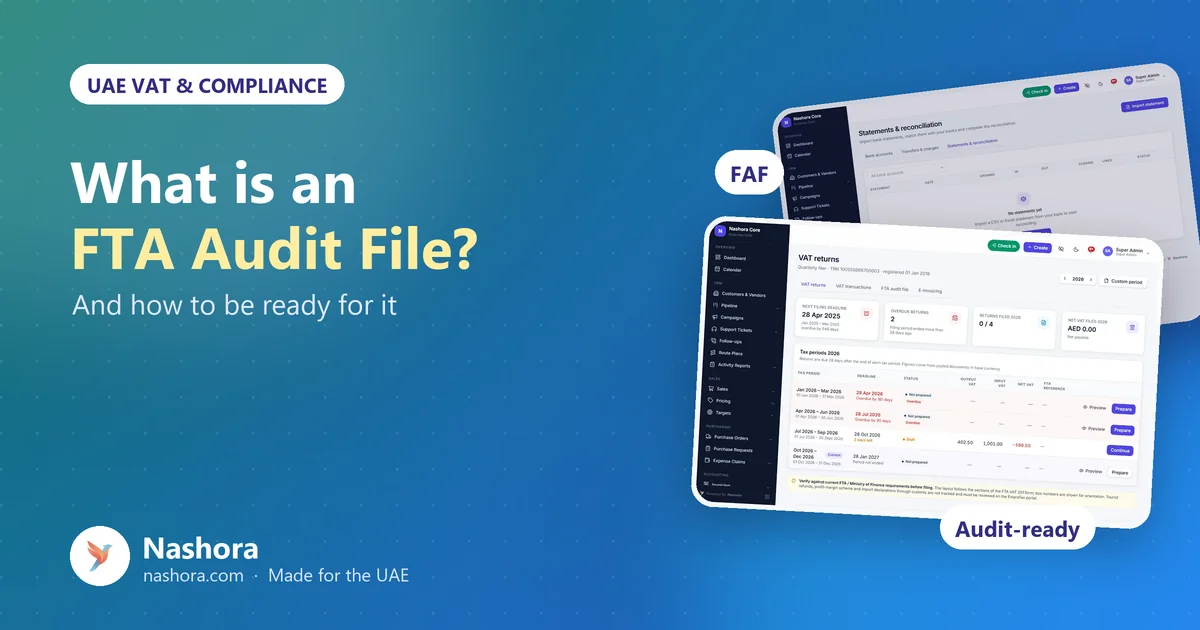
A notice arrives from the FTA. They are reviewing your VAT and they want the FTA Audit File for the periods in question, in the prescribed format. Your bookkeeper offers the Excel ledger. Your accountant goes quiet, because Excel is not what was asked for, and nobody is sure the customer list, the tax codes and the return totals agree with each other.
The FTA Audit File, usually shortened to FAF, is one of those things nobody thinks about until the day it is requested. This guide explains what it is, who may be asked for it, what it contains at a general level and why messy books make it painful. It then gives a routine and a checklist to prepare, and shows what Nashora does. General information, not tax advice. The file's exact specification is set by the FTA, so check it with them and do not rely on a blog post for field-level detail.
What the FTA Audit File (FAF) is
The FAF is a data file in a format prescribed by the Federal Tax Authority. Your accounting software produces it from your books. It lists the transactions behind your VAT, so the authority can review them without sending someone to read through your ledgers.
Think of the VAT 201 as the summary and the FAF as the detail behind it. The return tells the FTA your totals for a period. The file lets them see the invoices, bills and ledger entries those totals were built from.
Not filed with every return
You do not send a FAF with each VAT 201. It is supplied on request, which is exactly why it catches people out: it is rarely produced, so nobody practises. Businesses that keep clean books can usually produce it in minutes, and businesses that do not often spend days.
Who sets the format
The layout, the structure and the validation rules belong to the FTA, and they can be updated. Anything we say about the contents below is deliberately general. If the FTA gives you instructions for your case, those instructions win.
Who may be asked for it, and when
Any VAT-registered business may be asked. The usual trigger is a tax audit or review: a visit, a query on a return, a check of a claim. The request names the period, and you supply the file in the prescribed format.
It is worth saying plainly that being asked is not an accusation. A request is a normal part of how a tax authority checks returns, and a business with tidy books gets through it with little drama. The businesses that suffer are the ones who cannot produce the file, or whose file does not agree with the returns they filed.
Records are kept for five years, so a request can reach back over several periods, and your older books matter as much as this month's. How far back a particular request goes, and how it is delivered, is for the FTA to say, so read the notice carefully and ask them if anything is unclear.
What a FAF contains, at a general level
Without pretending to be the specification, here is the shape of it. In general terms the file carries the details of your company, the sales and purchase transactions with their VAT, and the ledger entries behind them.
| Area | In general terms | Where it comes from in your books |
|---|---|---|
| Company details | Who the file is about, including the business and its TRN, and the period covered | Company settings and VAT registration |
| Sales | The tax invoices and credit notes you issued, with their VAT | Customer invoices and credit notes |
| Purchases | The supplier bills and expenses with their input VAT | Vendor bills and expense records |
| General ledger | The accounting entries behind those transactions | The journal and chart of accounts |
Treat this as a map, not a specification. The exact fields, their order and the rules each must pass are defined by the FTA, and you should read the current document from them before you build or buy anything around it.
Why messy books make a FAF painful
The file is only as good as the records behind it. When the books are a patchwork of spreadsheets and exported reports, the FAF becomes a project. Here is how it usually goes wrong.
The same customer under four names
"Al Noor Trading", "Al Noor Trdg LLC", "ALNOOR" and a fourth version typed by someone in a hurry. Each has a different TRN, or none, and the file shows one customer as several parties.
Tax codes that changed halfway through the year
One product was standard-rated in the first quarter and zero-rated in the second, with no note saying why. The reviewer sees the difference and asks you to explain it, and the person who made the change has left.
Periods that were never locked
A VAT return was filed in April. In June someone back-dated an invoice into the same period. Now the ledger and the return disagree, and nobody knows which one is right.
Totals that do not match the return
The VAT figures in the file come from the ledger, and the return was filed from a separate workbook. They should match. When they differ by a few hundred dirhams, an hour's question becomes a week's investigation.
How to prepare: a routine you can start this week
Preparing for a FAF is not a one-off project, it is a monthly routine. Here is the order we would follow:
- Check the company details. The business name and TRN in your system must match your VAT registration.
- Clean customer and supplier records. One record per party, with the legal name and a checked TRN.
- Make tax codes consistent. One treatment per item, and a short note on every exception.
- Reconcile every month. Bank, receivables, payables and stock should agree with the ledger before you close.
- Match the VAT return to the ledger. The VAT report for the period should tie to the figures you filed.
- Lock filed periods. Once a return is filed, nothing should be able to change it quietly.
- Keep the supporting documents. Tax invoices, credit notes, import papers and contracts are kept for five years.
- Produce a test file now. If your software can export a FAF, run one before anyone asks and fix whatever it flags.
The last step is the most valuable. A trial export on a quiet afternoon turns an emergency into a to-do list.
Four habits behind a calm FAF
If you only do four things, make them these.
Clean TRNs
A TRN is how the FTA identifies a business, so a wrong or missing one on a customer or supplier is a problem in a file built for the FTA. Store each one cleanly, check new ones when you create the record and review the list once a year.
Locked periods
A filed period that can still be edited is a period that will eventually differ from its return. Lock it once the return is submitted, and if something does need correcting, do it with a credit note or an adjustment in the current period, with the reason recorded.
Consistent tax codes
The tax treatment of an item should be a decision, not an accident. Fix a default treatment per item, review exceptions and make sure reverse-charge purchases are coded as such rather than as ordinary purchases. Our guide to how to calculate VAT in the UAE shows the four treatments in plain terms.
Reconciliations
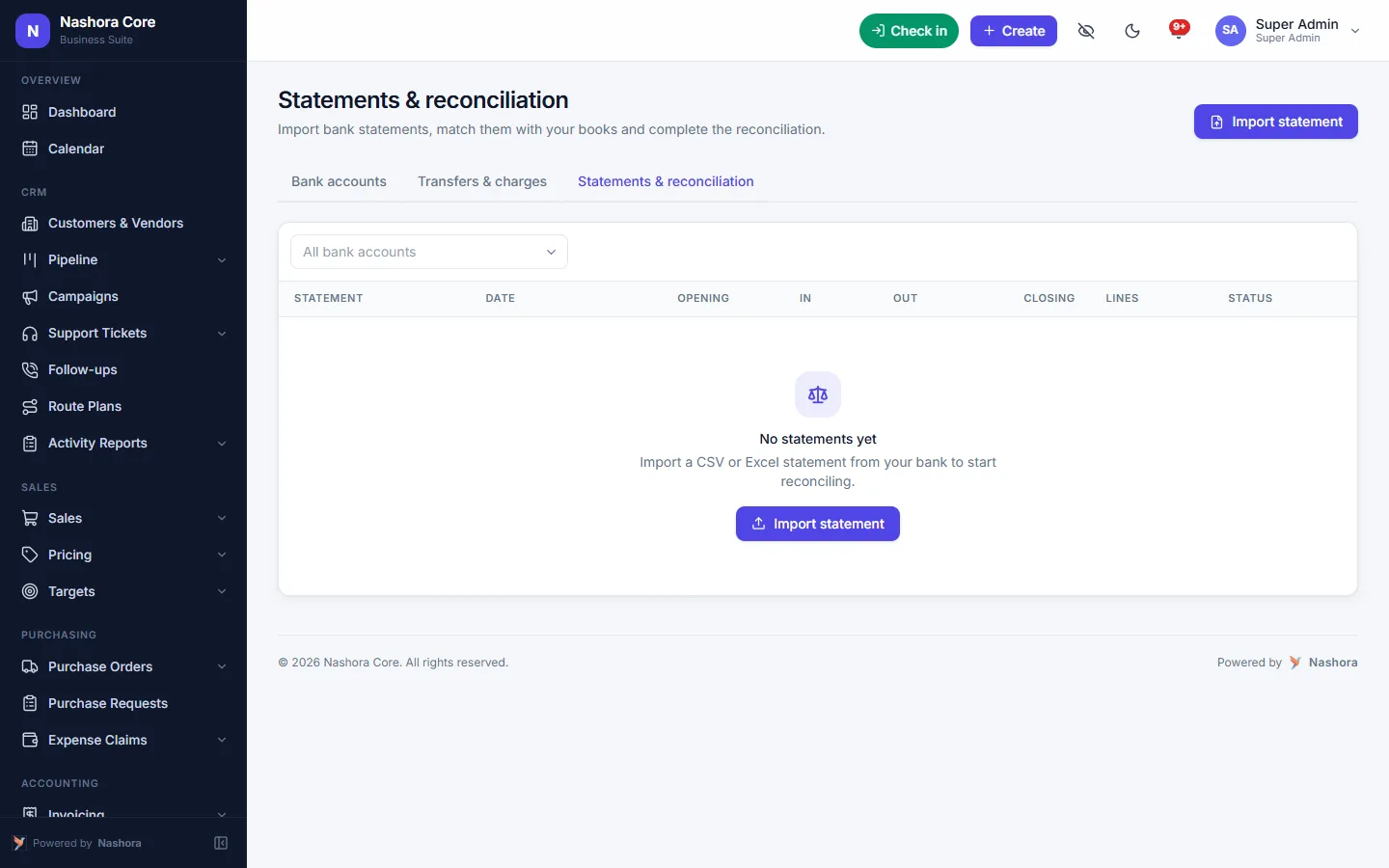
A reconciliation is a check that two independent records agree: the bank statement against the bank account, the receivables list against the ledger, the stock valuation against the accounts. When they agree each month, the ledger can be trusted. When they do not, the file will inherit the difference. Our article on managing accounts receivable and payable covers the customer and supplier side.
FAF readiness checklist
Use this table as a quarterly check. Each row should have an honest yes or no, and a name against it.
| Area | Ready when | Keep as evidence |
|---|---|---|
| Company TRN and details | They match your VAT registration | A copy of the registration certificate |
| Customer records | One record per customer, with a legal name and checked TRN | A dated review of the customer list |
| Supplier records | One record per supplier, with TRNs for VAT-registered suppliers | Supplier tax invoices on file |
| Tax codes | Each item has a default treatment, and exceptions are noted | A tax code list with change notes |
| Bank reconciliation | Every bank account is reconciled to the statement each month | Signed or dated reconciliations |
| Receivables and payables | The lists agree with the ledger control accounts | Month-end aging reports |
| Stock valuation | The stock report agrees with the stock accounts | Month-end valuation report |
| VAT return agreement | The return agrees with the VAT report from the ledger | The return and its working papers |
| Period locks | Filed periods are locked | A lock record or log entry |
| Corrections | Corrections are made with credit notes, not overwrites | The credit notes and their reasons |
| Supporting documents | Invoices, credit notes and import papers are kept for five years | A filing system you can search |
| Trial export | A test FAF has been produced and its errors cleared | The test file and the fix list |
FAF, VAT 201 and e-invoicing: how they differ
These three get mixed up in conversation, so here they are side by side.
| Item | What it is | When it happens | Goes to |
|---|---|---|---|
| VAT 201 return | A summary of output and input VAT for a period | Each tax period, due 28 days after it ends | The FTA, on its portal |
| FTA Audit File | A data file of the transactions and entries behind your VAT | When the FTA asks for it | The FTA, in its prescribed format |
| E-invoice | Structured invoice data in the PINT-AE format | As invoices are issued, once it applies to you | Your customer, through accredited service providers |
They share one foundation: clean master data and a ledger you trust. Our guide to preparing for UAE e-invoicing covers the invoicing side.
Which businesses feel it most
Spreadsheet bookkeeping
Honestly, a spreadsheet is fine until the day someone asks for a structured file. Then every manual step becomes a risk. Our comparison of Excel and ERP software and the guide to moving from Excel to ERP software are worth reading if that is you.
Traders with high volumes
Thousands of invoices a year mean thousands of lines in the file. One wrong tax code repeated across many invoices is a big difference.
Multi-branch businesses
Branches in different emirates share one TRN and one return, so inconsistent codes or numbering between branches show up in the file.
Companies that changed accountants or systems
A migration mid-year leaves two sets of records and a seam between them. Make sure the opening balances agree and the history is kept.
Exporters and refund positions
If your returns regularly show refundable VAT, your records may be looked at more closely, so keep zero-rated evidence with each invoice. Ask your adviser what to expect.
What Nashora does for the FAF, and what to check with the FTA
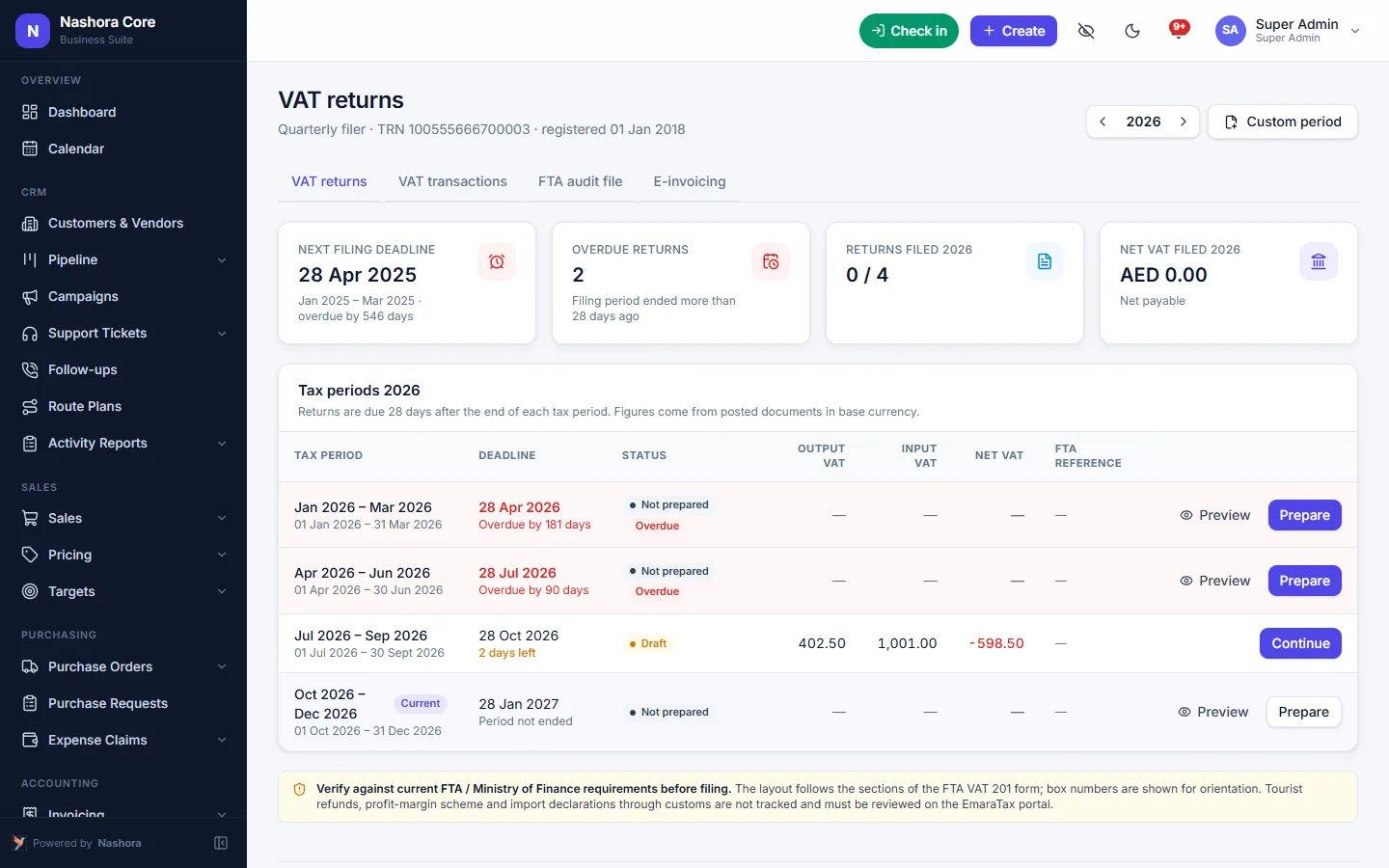
In the accounting and VAT module, you choose the period and Nashora exports the FTA Audit File for it. The file is validated before download, so format problems appear on your own screen rather than after you have sent it. The tax area keeps this next to the VAT returns, VAT transactions and e-invoicing tabs.
The rest of the system supports the habits above. VAT is set on each invoice and bill line as standard-rated, zero-rated, exempt or reverse charge. Returns are prepared by period from posted documents, with drill-down from any box to the documents behind it. Posted documents are locked, and corrections are made with credit notes, debit notes or reversals. Every change is recorded in the audit log, and you can lock a fiscal period once its VAT return has been filed. Bank reconciliation is built in, and receivable and payable aging are available as reports. Several companies can run in one Nashora, each with its own books, TRN and VAT return.
The screen above is the VAT returns page from Nashora's demo data. It shows the tabs along the top, including FTA audit file, and the tax periods with their deadlines and status. We do not say the file is approved by anyone. The specification belongs to the FTA and can be updated, so if the FTA gives you specific instructions, check them against what the export produces, and ask us to show you the export in a demo.
The FAF in the UAE context
Whether your business is in Dubai, Sharjah, Abu Dhabi, Ajman, Ras Al Khaimah, Fujairah, Umm Al Quwain or Al Ain, the FTA is a federal authority and the same VAT rules and record-keeping apply. Standard VAT is 5%, the VAT 201 is filed monthly or quarterly depending on your registration, and records are kept for five years. Free zone businesses should check how the rules apply to them.
The 9% corporate tax adds another reason for good books, because the same ledger now supports a second tax. If you are comparing systems, our guide to the best accounting software for small businesses in the UAE and the article on accounting software versus ERP will help you choose.
What to do next
- Get the current specification. Read the FTA's current FAF guidance, or ask them, so you know what the file must look like.
- Clean the data behind it. Fix customer and supplier names and TRNs, and make tax codes consistent.
- Reconcile and lock. Reconcile bank, receivables, payables and stock each month, and lock periods once the return is filed.
- Tie the return to the ledger. For your last filed period, check that the return agrees with the ledger's VAT report, and write down any difference.
- See a FAF exported. Book a free demo and ask us to export and validate a FAF for a sample period. The FAQ covers setup, pricing shows which plan includes accounting and VAT, or talk to us.