
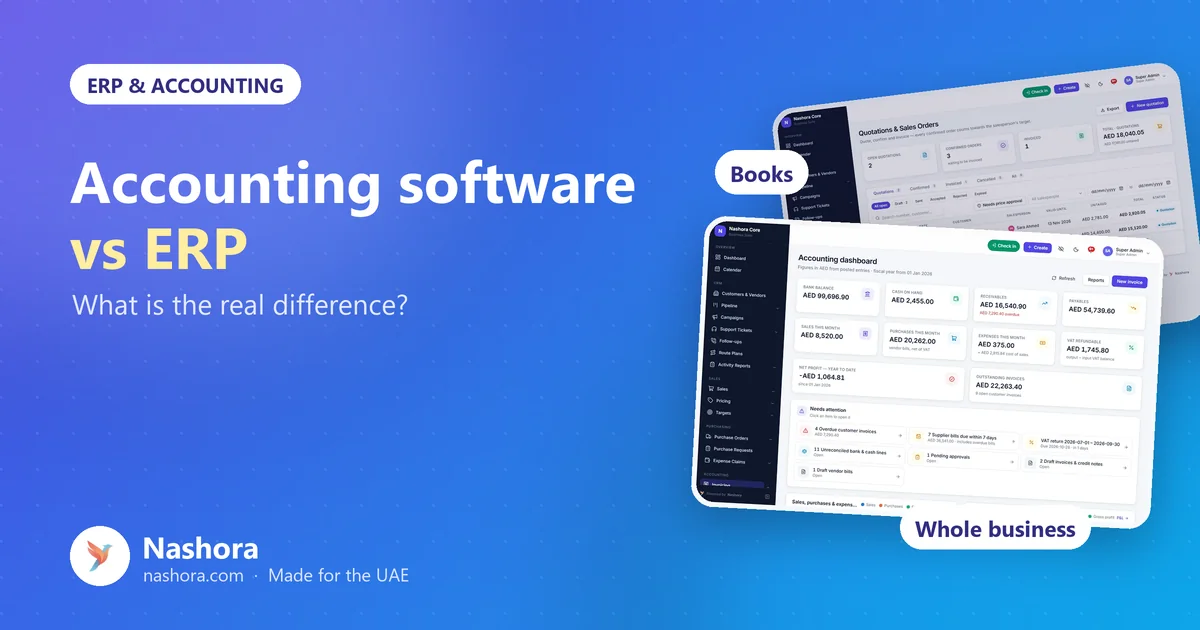
A finance manager in Dubai posts a sales invoice for 100 units. Then he opens a stock sheet and deducts 100. Then he messages the warehouse to confirm the delivery, and later asks the salesperson whether the customer has been chased. Four tools, one sale. This is the moment people start typing accounting software vs ERP into a search box, usually after a month-end where the numbers refused to agree.
The honest answer is that neither is better. They are different sizes of tool for different jobs, and most businesses sit in one of them without knowing why. This guide explains the difference in plain words, shows a worked example with numbers, lists the signs that you have outgrown accounting software and weighs the cost and effort of moving, including how Nashora's plans map to modules.
Accounting software vs ERP: the plain-English difference
Accounting software records money. It holds your chart of accounts, issues invoices, enters supplier bills, matches the bank, calculates VAT and produces the profit and loss and balance sheet. It is built around the ledger and it is very good at that job.
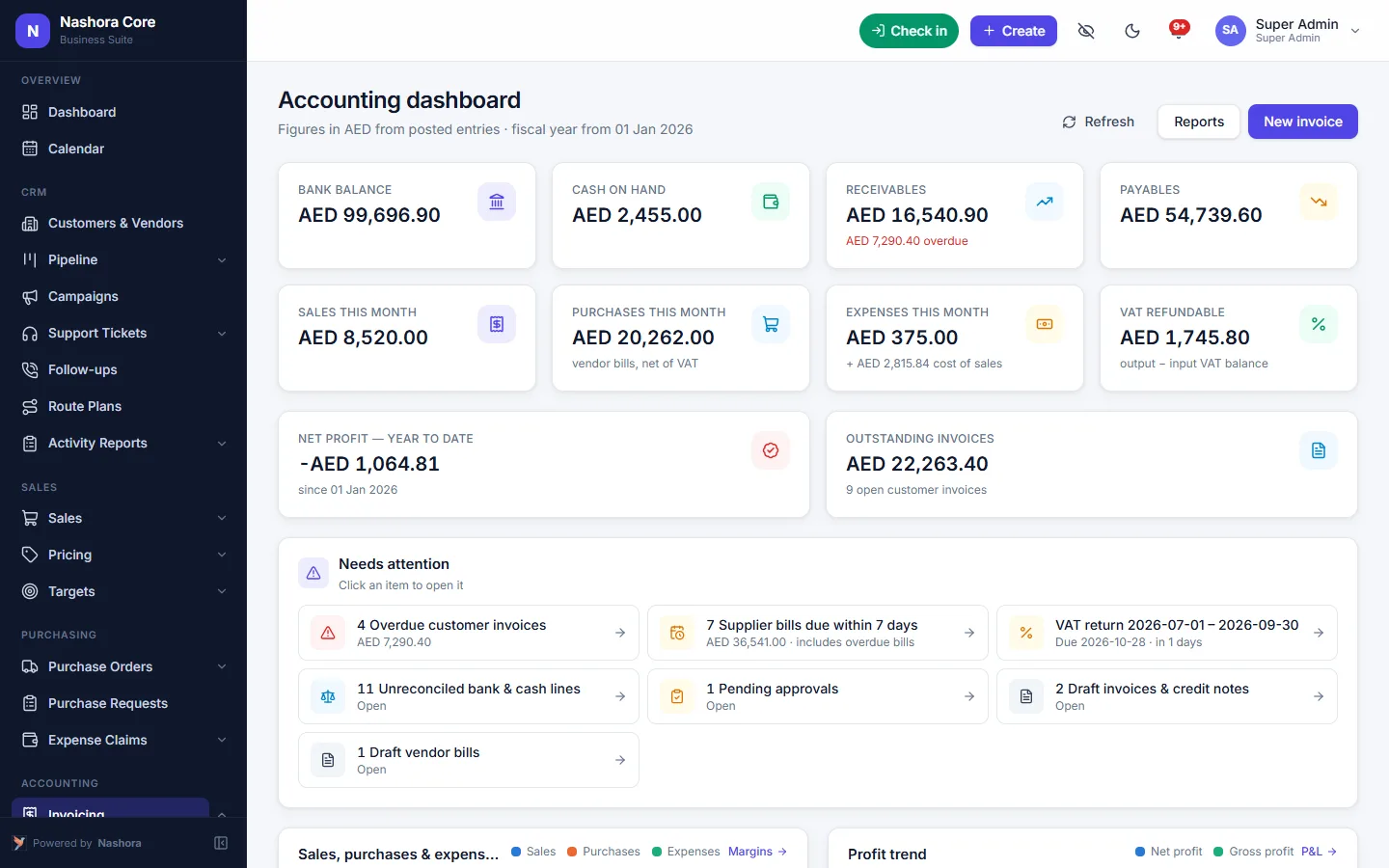
An ERP, short for enterprise resource planning, records the business that creates the money. It does everything accounting software does, and it also holds quotations, sales orders, deliveries, purchase orders, stock, employees, attendance and payroll, all in one database. The sales order, the stock movement, the invoice and the journal are linked, so nobody enters the same sale twice.
A simple way to picture it
Think of accounting software as the scoreboard and an ERP as the scoreboard plus the game: orders, shelves, staff. The scoreboard is accurate only if somebody tells it what happened on the pitch. In an ERP the pitch and the scoreboard are the same system, so the score updates by itself.
It is not a question of "small" or "big"
People assume ERP means a large company with a project team. That is how it used to be sold. Today a cloud ERP can suit a company with five users, because what matters is not headcount but how many places your data lives. A one-person consultancy with a clean invoice list needs no ERP. A five-person trading company with a warehouse often does.
What accounting software does well, and where it stops
Good accounting software is faster to learn and cheaper than an ERP, and for many businesses that is the right call. In the UAE, a decent package handles VAT per line, builds the VAT 201 return, supports multi-currency and reconciles the bank. Nashora's Starter plan is exactly this, and we describe it on the accounting and VAT software page.
Where it stops is at the edge of the ledger. Accounting software usually knows that you sold something. It rarely knows what is on the shelf, which quotation led to the sale, who approved the discount or which salesperson owns the overdue invoice. Those facts live somewhere else: a stock sheet, a CRM, a chat group. The work of keeping them in step is yours.
The re-typing tax
Every bridge between tools is a person doing double entry. Say three people each spend 30 minutes a day moving data between a sales app, a stock sheet and the books. That is 1.5 hours a day, or about 33 hours over a 22-working-day month, and that is before anyone corrects an error. The cost is rarely on a quote, but it is real.
What an ERP adds on top of the books
The extra modules sound like a list of features. The real change is that they share the same product, customer and employee records as the accounts.
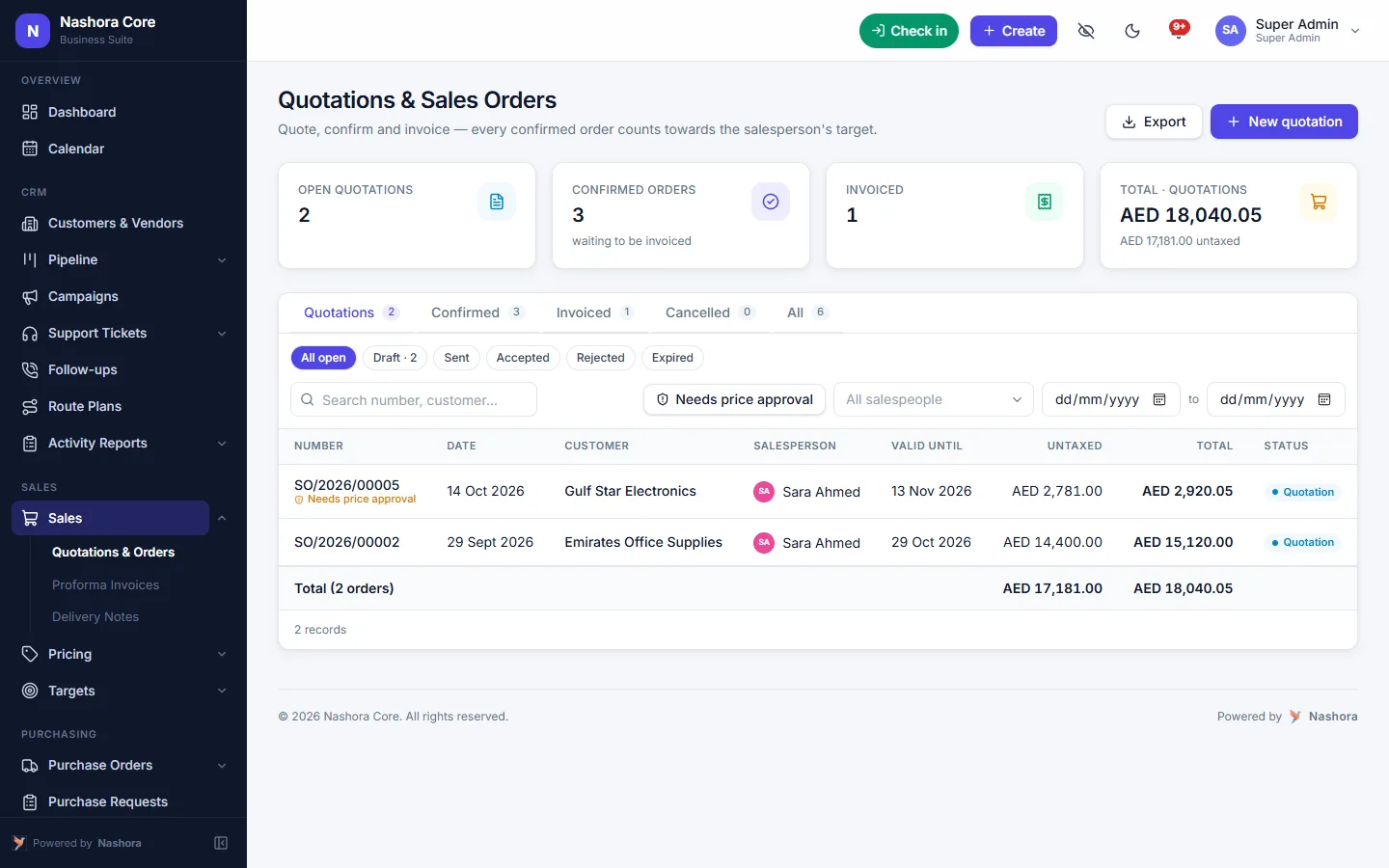
- Sales and CRM. Leads, follow-ups, quotations, sales orders and delivery notes, all pointing at the same customer and product records. See the CRM, sales and inventory software page.
- Purchasing. Purchase requests, approved purchase orders, goods received notes and a three-way match between order, receipt and bill.
- Inventory. Stock by warehouse and bin, lots, expiry, serial numbers, landed costs, average cost or FIFO, with the valuation reconciled to the books.
- HR and payroll. Employee records, attendance, leave, WPS payroll and gratuity, with the payroll journal posted to the accounts. See HR and payroll software.
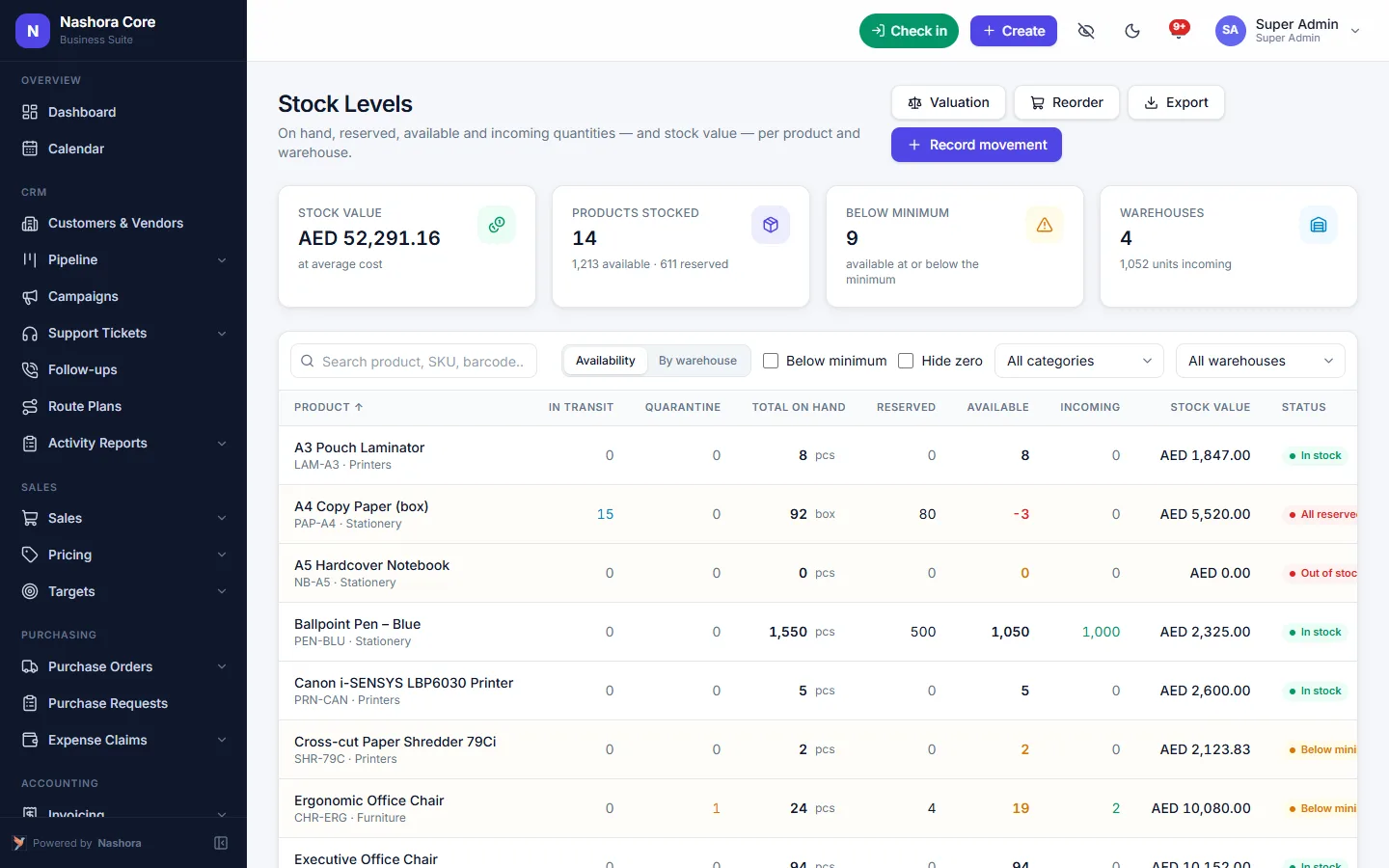
The inventory screen in Nashora shows on-hand, reserved, available and incoming quantities and stock value per product and warehouse. In an accounting-only setup, that table is usually a spreadsheet that somebody updates on Sundays.
A sale in an accounting-only setup vs an ERP: a worked example
Numbers make the difference clearer. Say you sell 100 units to a customer at AED 40 each before VAT. The units cost you AED 25 each. The invoice is:
- Net sale: 100 x AED 40 = AED 4,000
- VAT at 5%: AED 200
- Customer pays: AED 4,200
- Cost of the goods sold: 100 x AED 25 = AED 2,500
- Gross profit: AED 4,000 minus AED 2,500 = AED 1,500, a margin of 37.5%
Both kinds of software can record the revenue side. The difference is what happens to the cost, the stock and the other departments.
| Step | Accounting-only | ERP such as Nashora |
|---|---|---|
| Quotation and order | Made in another tool or a Word file | Quotation becomes the sales order |
| Stock reduces by 100 units | Someone updates the stock sheet | The delivery note reduces stock in that warehouse |
| Invoice: receivable AED 4,200, sales AED 4,000, output VAT AED 200 | Entered by hand or imported | Posts to the books from the order |
| Cost of sales AED 2,500 | Often a month-end journal from the stock sheet | Posted when stock moves, using average cost or FIFO |
| Freight and customs | Worked out on the side or ignored | Added as landed cost to the product |
| Follow-up if unpaid | A separate reminder or memory | Follow-up in the same system as the receivable |
The cost you forgot
Now suppose freight and customs of AED 300 came with those 100 units. Spread across the batch that is AED 3 a unit, so the true cost is AED 28, the cost of sales is AED 2,800 and the gross profit is AED 1,200, or 30% of AED 4,000. Same sale, same invoice, and the margin is 7.5 points lower than the owner believed. Accounting-only software shows the lower margin only if someone remembers to add the freight. An ERP with landed costs does it when the goods are received.
Accounting software vs ERP: side-by-side comparison
If you only read one section, make it this one. The table compares the two approaches, and shows how Nashora handles each row.
| Area | Accounting software | ERP (Nashora) |
|---|---|---|
| Main job | Record and report money | Run orders, stock, purchasing, people and the books together |
| Data lives in | The ledger; other data elsewhere | One database shared by every module |
| UAE VAT and VAT 201 | Usually built in | VAT per line, VAT 201 by selling branch's emirate |
| FTA Audit File | Varies by product | Exported and validated before download |
| Sales and quotations | Not the focus | Quotations to orders to deliveries to invoices |
| Stock | Basic or none | Warehouses, bins, lots, serials, landed cost, valuation reconciled |
| Purchasing | Bills only | Approvals, goods received notes, three-way match |
| Payroll and WPS | Separate tool | On the Complete plan, with the WPS SIF file and journal |
| Roles and approvals | Limited | Rights per module, approval limits by amount, audit log |
| Learning curve | Short | Longer, but you can start with only the books |
| Cost | Lower | Higher, rising with modules and users |
Signs you have outgrown accounting software
You rarely wake up one morning needing an ERP. The signs show up slowly, and each one is a small workaround.
- You re-type documents. An order, a delivery or a payroll sheet becomes a journal by hand.
- The stock sheet and the books disagree. Nobody can say what the stock is worth without a manual count.
- Sales promises stock they cannot see. Quotations go out with no view of the shelf.
- Approvals live in chat. A manager says yes on WhatsApp and the evidence disappears.
- Branches or warehouses multiply. You need profit by branch, not a pile of exported files.
- Payroll is its own spreadsheet. The WPS file is built by hand each month.
- The month-end takes longer each quarter. The cause is more bridges, not more transactions.
One or two of these? Fix them with discipline or a small tool. Four or more? Then the workarounds are costing more than the software would. Our post on Excel vs ERP software goes deeper on the most common sign of all.
Cost and effort: the honest trade-offs
ERP costs more. It also takes longer to set up, asks more of your team and is harder to leave. Those are real trade-offs, and a vendor who skips them is selling, not advising.
| Factor | Accounting software | ERP |
|---|---|---|
| Licence | Lower price | Higher, but includes more modules |
| Set-up | Days: accounts, opening balances, VAT | Days to a few weeks: every module you switch on needs data |
| Data to clean | Customers, vendors, opening balances | Also products, stock, warehouses, employees |
| Training | Finance team | Finance, sales, warehouse and HR |
| Day-to-day effort | Higher: bridges between tools | Lower once running: entered once |
| Risk of mismatch | Higher | Lower, because documents post themselves |
| Moving later | You migrate to add modules | Start small and switch modules on |
The last row is the one to remember. With a modular ERP, you can start with the books and add modules later without moving your data. Buying a stand-alone accounting package and then bolting on others is where the migration pain tends to come from.
A word of caution
An ERP will not fix messy data. If your product list has duplicates and your customers are in three spellings, clean them first. Do not buy an ERP to avoid dealing with a data problem, because it will only show the problem faster.
How Nashora's plans map to modules
Nashora is sold as an annual licence per company, and each plan switches on a set of modules. Prices exclude 5% VAT, and a one-time installation fee applies in the first year only.
| Plan | Licence per year | Users | Modules |
|---|---|---|---|
| Starter | AED 2,508 | 3 | Accounting, VAT returns, FTA Audit File, invoices, bank and cheques, multi-currency, basic stock |
| Business | AED 6,468 | 10 | Everything in Starter, plus CRM, quotations to deliveries, purchasing, full inventory, expense claims, projects and fixed assets |
| Complete | AED 10,788 | 15 (25 payroll employees) | Everything in Business, plus HR, attendance, leave and WPS payroll with gratuity |
| Enterprise | From AED 21,588 | 30 (100 employees) | Everything in Complete, 3 companies, larger server setups, custom reports |
The first-year cost adds the installation fee: AED 4,008 for Starter (2,508 plus 1,500), AED 11,468 for Business (6,468 plus 5,000) and AED 19,288 for Complete (10,788 plus 8,500). The step from Starter to Business is AED 6,600 a year in licence (6,468 minus 2,508), and for that you get the sales, purchasing and inventory side. Ask us what installation work applies if you move up later.
Start where it hurts
If the books are the pain, start on Starter. If the pain is orders and stock, Business is the natural starting point because it includes the accounting as well. If the payroll sheet is the worst job in your month, Complete brings it into the same system. The pricing page has the full table, and the features list shows what each module does.
Which businesses need what
A quick guide by type. It is a starting point, not a rule.
- Freelancers and consultants. Accounting software is enough. You need clean invoices and a VAT 201, not a warehouse.
- Service companies. Accounting first. Add expense claims and projects when the team and jobs grow.
- Small traders. If stock is simple, accounting with basic stock works. Once you have several suppliers, landed costs or two warehouses, an ERP earns its place.
- Wholesalers and distributors. Orders delivered in parts, price lists and receivable aging suit an ERP from the start. Our guide to a stock-aware CRM explains why.
- Multi-branch businesses. Profit by branch and VAT by emirate are far easier in one system. Read more in managing multiple branches in one ERP.
- Companies with staff. Once you pay a team through WPS, payroll in the same system saves the monthly rebuild. Our payroll and WPS guide covers the basics.
If you are still at the stage of choosing a package, our buyer's guide to accounting software for small business in the UAE has a scoring checklist.
How to move from accounting software to an ERP
The move is smaller than most owners fear, provided you keep it in steps.
- List what you do outside the books. Quotations, stock sheet, payroll workbook, approvals. Each is a candidate module.
- Decide the first module set. Usually the books plus the one workflow that hurts most.
- Clean your lists. Customers, vendors, products, opening balances and employees, in Excel.
- Import and check. Post a handful of real documents and compare them with your old figures.
- Train each team briefly. Finance, sales, warehouse and HR each need a short session of their own.
- Go live with the core, then add the next module. Do not switch everything on in one week.
Nashora's team configures the company, VAT, chart of accounts, users and roles, and helps import data from Excel. Most companies go live within days to a few weeks, and help mode and a built-in tutorial support new users. For the specific case of leaving spreadsheets behind, see how to move from Excel to ERP software.
Serving businesses across the UAE
Nashora is run from Al Nahda in Sharjah and works for companies in Dubai, Sharjah, Abu Dhabi, Ajman, Ras Al Khaimah, Fujairah, Umm Al Quwain and Al Ain. Either way, the UAE parts must work: 5% VAT, your TRN on tax invoices, the VAT 201 return, the FTA Audit File, WPS if you pay staff through the system and records kept for five years. Corporate tax at 9% above AED 375,000 also makes accurate cost of goods and a reliable balance sheet more important. Mainland and free zone companies can differ in their tax treatment, so confirm yours with the FTA or your tax adviser. This article is not tax or legal advice.
What to do next
- Count your bridges. List every time data moves from one tool to another by hand. That number tells you more than any feature list.
- Rate the signs above. Four or more means you have likely outgrown accounting-only software.
- Choose the first module, not the whole ERP. Match your pain to Starter, Business or Complete.
- Clean the data now. Products, customers and opening balances are the foundation of any system.
- See it on your own paperwork. We are happy to book a free demo where we walk one real order from quotation to VAT return. The FAQ answers common setup questions, or contact us.