
Payroll software for the UAE, with WPS, attendance & HR
Nashora is HR and payroll software for UAE companies: employee records, attendance, leave, payroll, WPS, gratuity and self-service — connected to your accounts so salaries post themselves.
What is WPS payroll software?
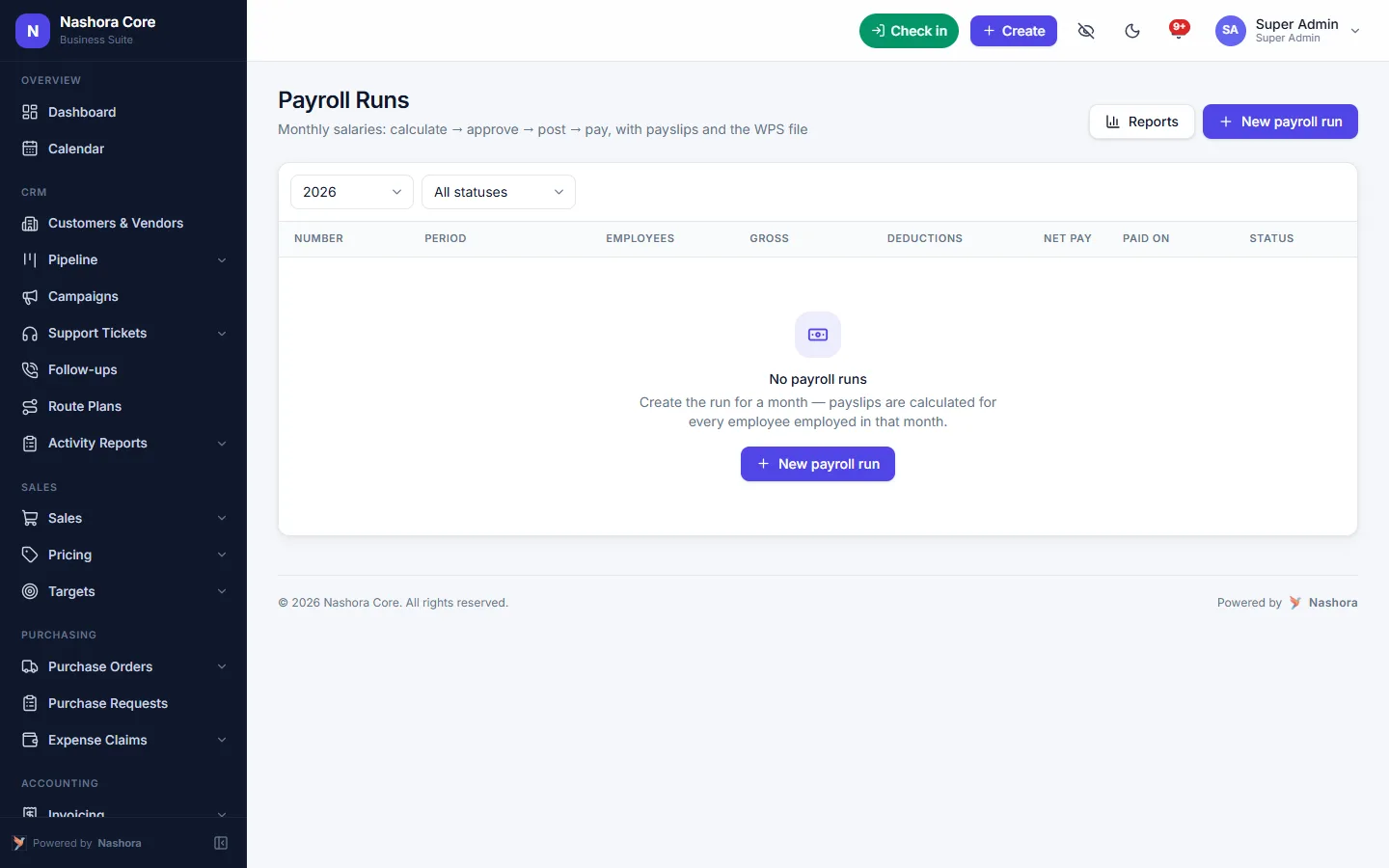
WPS payroll software calculates each employee's monthly salary and produces the Salary Information File (SIF) that UAE banks and exchange houses need to pay staff under the Wage Protection System. Nashora builds the WPS SIF file straight from the approved payroll run, alongside payslips, a bank transfer file and the accounting entry.
Payroll in minutes, WPS included
Run the month for everyone: salary structures, proration for joiners and leavers, unpaid leave, overtime, loan instalments and bonuses — then approve, post and pay.
- WPS SIF file and bank transfer file
- Payslips printed, e-mailed or seen in self-service
- Loans and salary advances deducted automatically
- UAE gratuity and final settlement
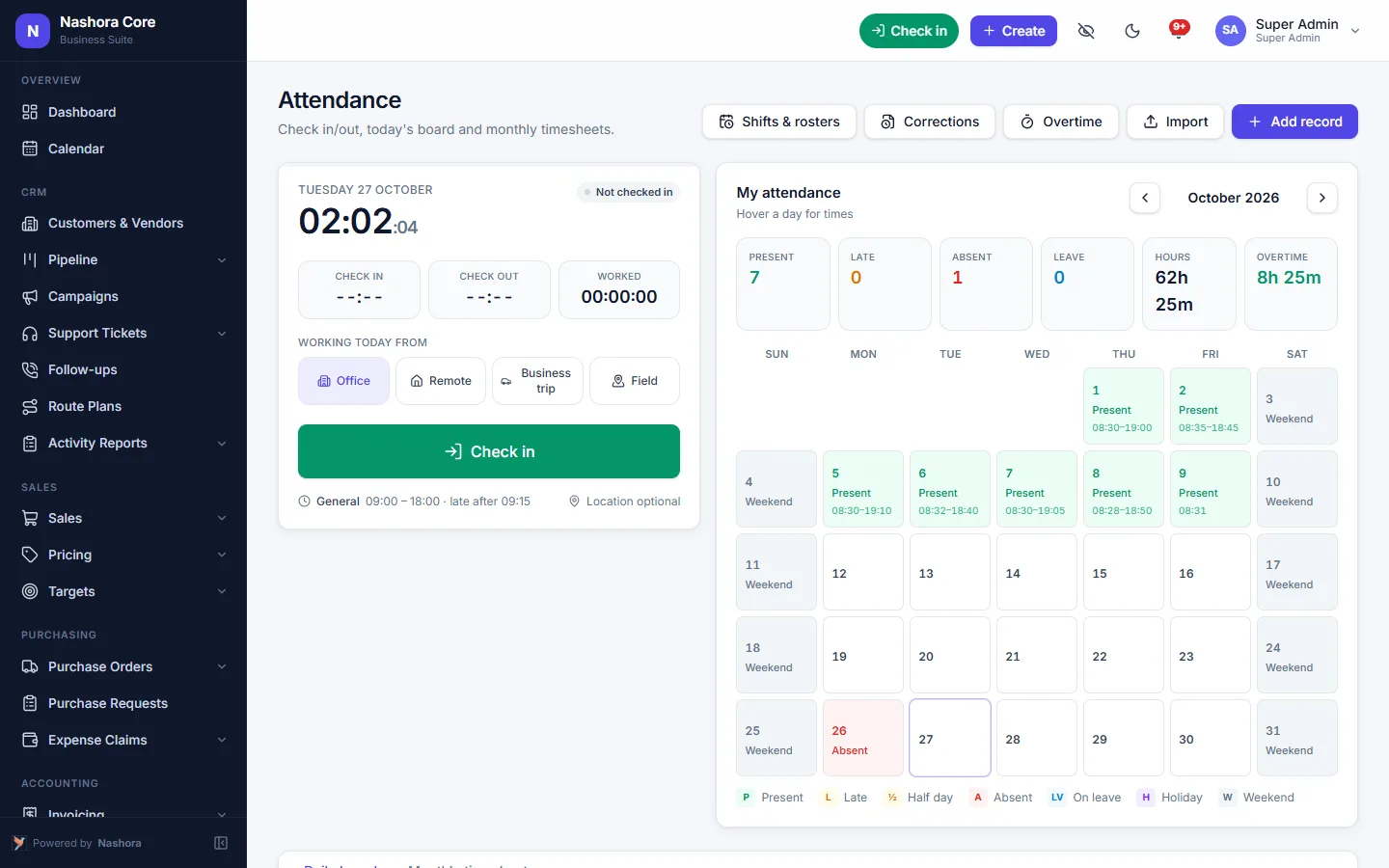
Attendance that matches the shift
Staff tap Check in on any screen, scan a QR code at the site, or use an attendance machine — ZKTeco, eSSL, BioTime and Hikvision face and fingerprint terminals are attached from Settings. Lateness, early leave and overtime are measured against their shift.
- Geofenced work locations
- Shifts, rosters and rotations
- Correction and overtime requests with approval
- Leave accrual, balances, half days and hourly leave
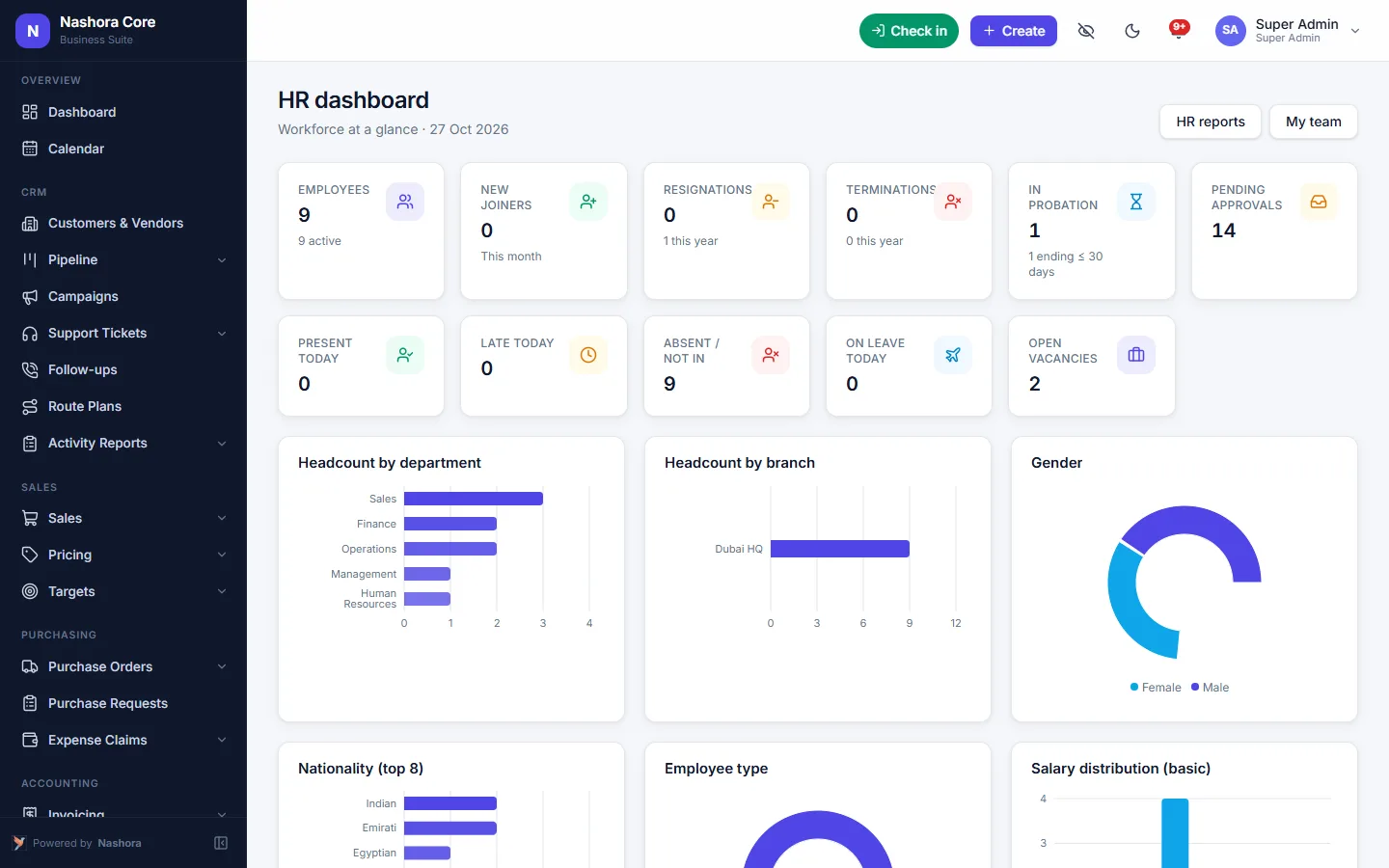
Every employee, every document
Passports, visas, Emirates IDs, contracts and certificates with expiry reminders, so renewals never slip.
- Organization: departments, grades, designations
- Contracts, benefits and company assets
- Promotions, transfers, warnings with letters
- Resignation, clearance and exit interview
The full employee journey
Recruitment
Requisitions, job openings, candidate pipeline, interviews, offers and hiring.
Onboarding & probation
Checklists for every new joiner and probation reviews with confirmation letters.
Performance & training
Goals, reviews, peer feedback, training courses, certificates and skills.
Self-service
Employees request leave, letters, loans and corrections; managers approve from My Team.
HR reports
Headcount, turnover, attendance, leave, payroll and recruitment reports.
Private by default
Salaries and confidential cases are visible only to the people allowed to see them.
What payroll software in the UAE has to get right
Paying staff in the UAE is more than multiplying a salary by twelve. Salaries go out through the Wage Protection System, so the bank or exchange house needs a correctly built SIF file every month. Overtime has to match the hours people actually worked. Leavers need an end-of-service gratuity and a final settlement. And every one of those numbers has to land in your books.
When attendance lives on a machine, leave lives in an inbox and payroll lives in a spreadsheet, the HR team spends the last week of the month copying figures between them. Nashora keeps employees, attendance, leave and payroll in one system, so the month-end run starts from data that is already there. You can see the whole module list on the Nashora features page.
How a monthly payroll run works in Nashora
Here is the route a typical month takes, from the first punch to the posted journal.
- Attendance comes in. Staff tap Check in in the browser, scan a QR code at the site, or punch on a ZKTeco, eSSL, BioTime or Hikvision terminal. Machines without a network can have their punch log imported.
- Exceptions are cleared. Lateness, early leave and overtime are measured against each person's shift. Correction and overtime requests go to the manager for approval.
- Leave settles. Approved leave, half days, hourly leave and unpaid leave are already on the calendar, and balances update as leave accrues.
- Payroll is calculated. Salary structures and pay components are applied for everyone, with proration for joiners and leavers, overtime, bonuses and loan or advance instalments.
- You review and approve. Check the run, fix anything that looks wrong, then approve it.
- Payslips go out. Print them, e-mail them, or let staff open them in employee self-service.
- Salaries are paid. Download the WPS SIF file for your bank or exchange house, plus a bank transfer file.
- The books are updated. The payroll run posts its own journal, so salaries appear in your accounting and VAT software without a manual entry.
End-of-service gratuity and final settlement
Under UAE labour law, an employee who leaves after completing the qualifying period is owed an end-of-service gratuity. It is worked out from the employee's basic salary and years of service, so the calculation depends on what is in the contract and the actual joining date, not the total package.
Because Nashora already holds the contract, salary structure and dates for every employee, it calculates UAE gratuity and the final settlement from those records. Resignation, clearance and the exit interview sit in the same place, so HR can close out a leaver without rebuilding their history in a spreadsheet.
WPS SIF files without the copy-paste
A WPS SIF file lists each employee's pay for the month in the layout your bank or exchange house expects. Built by hand, it is easy to get one account number or one allowance wrong, and a rejected file means late salaries. In Nashora the SIF file is produced from the approved payroll run itself, so the amounts in the file are the same amounts on the payslips and in the journal.
Benefits for HR and finance
One source for attendance, leave and pay
Overtime and unpaid leave flow from attendance into payroll. Nobody re-types hours from a machine export.
Fewer payroll corrections
Corrections and overtime are approved before the run, not argued about after payslips are out.
Salaries in the books on the same day
The payroll journal posts automatically, so finance sees the real salary cost when closing the month.
Documents that don't expire unnoticed
Passports, visas, Emirates IDs and contracts carry expiry reminders, so renewals are handled in time.
Less time answering routine questions
Employees check their own payslips, leave balance and attendance, and request letters, loans and leave in self-service. Managers approve from My Team.
Salary data that stays private
Salaries and confidential cases are visible only to the people allowed to see them. Roles decide who can view, approve or export payroll, so a line manager can approve leave and overtime for their team without opening the salary sheet. If the bank queries a line in the SIF file, HR can open that employee's payslip and attendance for the month in the same system.
Who Nashora HR & payroll is for
Companies with field and site staff
Contracting, maintenance and service teams can check in by QR code at the site or with the Check in button inside a geofenced work location. Shifts, rosters and rotations cover people who don't work nine to five.
Multi-branch businesses
Set up work locations for each office or site, and give branch managers access to their own team's or branch's records while head office sees everyone. Branches and cost centres are also available on the accounting side.
Companies that already own attendance machines
Keep your ZKTeco, eSSL, BioTime or Hikvision terminals. Each one is added in Settings and employees are matched by their machine ID. The Nashora FAQ explains how each type connects.
HR teams
Employee records, HR actions such as promotions, transfers and warnings, letters from editable templates, onboarding checklists, probation reviews, performance reviews and training all sit in one HRMS, with HR, attendance, leave and payroll reports.
Growing SMEs that are hiring
Recruitment covers requisitions, job openings, the candidate pipeline, interviews and offer letters. Once someone is hired, they are already in the system for onboarding and their first payroll. If you also sell and hold stock, the same system runs CRM, sales and inventory, sharing the same employees and accounts.
Why it's easier to switch than you think
Nashora runs in the web browser on desktop, tablet and phone, so there is nothing to install for HR, managers or staff. Employees, attendance, leave balances and salaries can be imported from Excel, and our team helps with the import during setup.
Most companies go live within days to a few weeks, depending on the modules and the amount of data. We run short training for each team and stay with you after go-live. Roles control who sees salaries, and sign-ins can be protected with two-factor authentication.
Want to see your own payroll month in it? Book an HR and payroll demo for your company in Dubai, Sharjah or anywhere in the UAE.
Nashora vs spreadsheets vs a standalone payroll app
| Task | Nashora | Spreadsheets | Standalone payroll app |
|---|---|---|---|
| WPS SIF file | Generated from the payroll run | Built by hand each month | Usually included |
| Attendance into payroll | Machines, QR and Check in feed the run | Exported and re-typed | Often a separate system |
| Overtime against shifts | Measured against each shift | Counted manually | Depends on attendance link |
| Leave balances | Accrual, approvals and balances | Tracked in a separate sheet | Sometimes basic |
| Gratuity and final settlement | Calculated from employee records | Formula you maintain | Varies |
| Loans and salary advances | Instalments deducted automatically | Remembered by hand | Varies |
| Payslips | Printed, e-mailed or in self-service | Mail-merged | Yes |
| Posting to accounts | Payroll posts its own journal | Manual journal | Export and re-enter |
| Visa and Emirates ID expiries | Reminders on each document | A column someone checks | Not always covered |
| Employee self-service | Payslips, leave, letters, loans | E-mails to HR | Sometimes |
| Recruitment and performance | In the same system | Not covered | Another app needed |
Frequently asked questions about payroll software in the UAE
Does Nashora generate the WPS SIF file?
Yes. Once you approve the monthly payroll run, Nashora produces the WPS SIF file for your bank or exchange house, along with a bank transfer file and payslips. The amounts come from the same run, so the file, the payslips and the salary journal in your accounts all match.
How is end-of-service gratuity calculated?
Gratuity under UAE labour law is based on the employee's basic salary and years of service. Nashora calculates UAE gratuity and the final settlement from the contract, salary structure and joining date already held for each employee, so HR doesn't have to rebuild the figures in a spreadsheet when someone leaves.
Can we connect our biometric attendance machine?
Yes. ZKTeco, eSSL and BioTime machines connect through their cloud-server (ADMS) setting, Hikvision face and fingerprint terminals through HTTP listening, and other machines through the Nashora API. Machines without a network can have their punch log imported. Each machine is added in Settings and employees are matched by their machine ID.
Can employees check in without an attendance machine?
Yes. Every employee has a Check in button that records their location, and you can place a QR code at a site for staff to scan. Work locations can be geofenced, which suits field and site teams who don't pass a fixed terminal every day.
How does overtime get into payroll?
Overtime is measured against each employee's shift, along with lateness and early leave. Staff can raise overtime and correction requests, which go to their manager for approval. Approved overtime is then included when the monthly payroll is calculated, so nobody has to add hours by hand.
Can employees see their payslips online?
Yes. In employee self-service, staff see their payslips, leave balance, attendance and documents. They can also request leave, letters, loans and attendance corrections, and managers approve these from My Team. Payslips can still be printed or e-mailed if you prefer.
How are salary advances and loans recovered?
Loans and salary advances are recorded against the employee with their instalments. Each month the instalment is deducted automatically in the payroll run, so the balance reduces without anyone keeping a separate list of who owes what.
Does payroll post to the accounts automatically?
Yes. Each payroll run posts its own journal, so salary costs reach your books without a manual entry. Because HR, payroll and accounting share the same employees and accounts, finance sees the real salary cost when closing the month.
Can I import employees and salaries from Excel?
Yes. Employees, attendance, leave balances and salaries can be imported from Excel, as well as customers, vendors, products and opening balances if you use the other modules. Our team can help with the import during setup.
How does Nashora track visa, passport and Emirates ID expiry?
Passports, visas, Emirates IDs, contracts and certificates are stored on each employee's record with their expiry dates. Nashora sends expiry reminders, so renewals are handled before the document runs out rather than after.
Who can see salary details?
You decide. Roles control what each user can view, edit, approve and export, and whether they see their own records, their team's, their branch's or everyone's. Salaries and confidential cases are visible only to the people allowed to see them, and sign-ins can use two-factor authentication.
Is Nashora suitable for a small company in Dubai or Sharjah?
Yes. Nashora runs in the browser with nothing to install, and pricing depends on the number of users and the modules you need. Most companies go live within days to a few weeks. Request a demo and we'll show you a payroll month and send a quote.
See Nashora with your own workflow
Book a free 30-minute online demo. We'll walk through the modules you need and answer your questions — no obligation.