
It is the 27th, and the HR manager has four files open: the attendance export from the fingerprint machine, an inbox full of leave approvals, last month's payroll spreadsheet and a half-finished bank file. Somebody's unpaid leave is in a WhatsApp message, a new joiner has to be prorated, and the bank wants the salary file by noon. This is what payroll and WPS in UAE looks like for a lot of small and medium companies, and it works until the month when one cell is wrong and thirty people get the wrong amount.
This guide walks through a monthly payroll routine step by step, explains what the Wage Protection System (WPS) and the SIF file actually are, covers the basics of end-of-service gratuity, lists the mistakes we see most, and shows a worked pay calculation with real arithmetic. It is general information for HR and finance managers, not legal advice. Where a rule matters to your pay, check it with the Ministry of Human Resources and Emiratisation (MOHRE) or your adviser.
The monthly payroll routine, step by step
Whatever tool you use, a clean payroll month follows the same order. The trouble starts when the order is skipped, for example calculating salaries before leave is settled, so every late change means doing the work again.
- Freeze the inputs. Agree a cut-off date for attendance, leave, overtime requests and new joiners or leavers. Anything after the cut-off goes into next month.
- Settle attendance and leave. Clear missing punches and corrections, and make sure every approved leave day, paid or unpaid, is recorded.
- Approve overtime. Only overtime approved by the manager goes into the run, measured against each person's shift.
- Update pay changes. Raises, new allowances, bonuses, joiners to be prorated and leavers with a last working day.
- Apply deductions. Unpaid leave, loan and advance instalments, and any other deduction you are allowed to make.
- Calculate and review. Compare this month's totals with last month's. A jump or a drop should have a reason you can say out loud.
- Approve and issue payslips. Lock the run, then print, e-mail or publish the payslips.
- Pay through WPS. Send the SIF file and the transfer instructions to your bank or exchange house.
- Post to the books. Record the salary cost, deductions and payments in accounting, and keep the run for audit.
Steps 1 to 5 are where most errors are born. The last four are mostly mechanical, which is exactly why they should come from the same approved numbers instead of being typed again.
Attendance, leave and overtime: where payroll really starts
Payroll errors rarely begin in the payroll sheet. They begin upstream, in an attendance export nobody checked or a leave approval that lived in an inbox. If your team clocks in on a machine, the punches have to match the shift. If staff work at client sites, you need another way to prove where and when they started.
Attendance
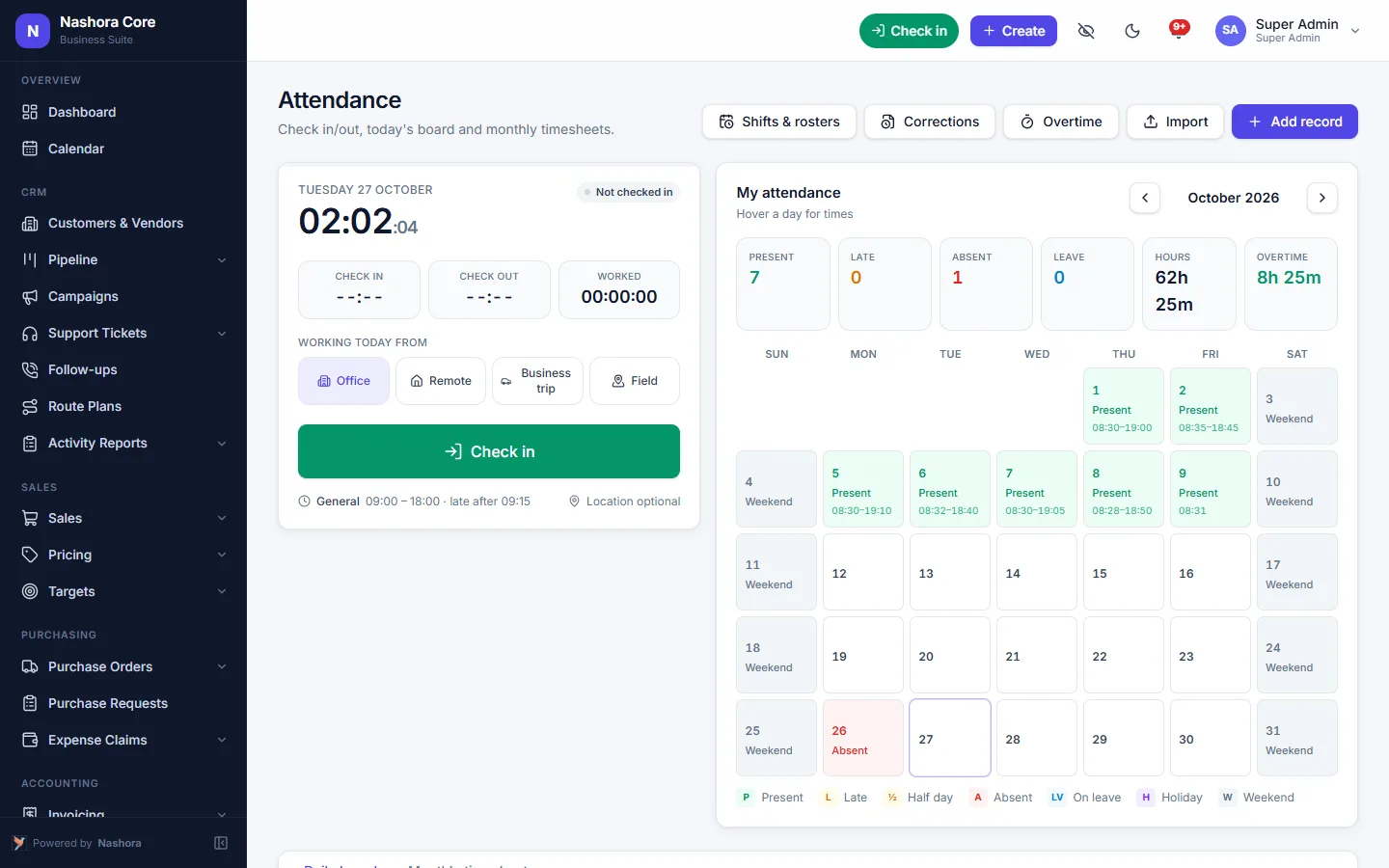
Nashora lets staff tap a Check in button in the browser, scan a QR code placed at a site, or punch on an attendance machine (ZKTeco, eSSL, BioTime and Hikvision terminals are supported). Work locations can be geofenced, and lateness, early leave and overtime are measured against each person's shift. A machine without a network can have its punch log imported.
Leave
Annual, sick, emergency and unpaid leave each behave differently in payroll. Unpaid leave reduces pay, paid leave does not, and a half day or a few hours counts for part of a day. The simplest rule is that leave is approved in one place, by the manager, and the payroll run reads it from there. If HR has to remember which e-mail said what, one of them will be missed.
Overtime
UAE labour law sets minimum premiums for overtime and limits on how much can be worked, so do not invent your own rule from memory. Confirm the current figures with MOHRE and write your policy down: who can approve overtime, how it is measured and which pay it is based on. Then make staff raise overtime as a request that a manager approves before the cut-off, not an argument after the payslip.
Deductions, loans and advances
Deductions are where a payslip becomes personal, so they need a paper trail. Typical ones are unpaid leave, instalments on a salary advance or loan, and in some companies recoveries such as a lost asset. The law limits what an employer may deduct from wages and in what circumstances, so check the rules before you deduct anything beyond leave and agreed instalments.
Loans and advances are the item that most often gets lost. A manager says yes to an advance in January, and by May nobody remembers how much is left. The fix is a record against the employee with the amount, the number of instalments and the balance, and an instalment taken automatically each month until the balance reaches zero. In Nashora, employees can request a loan or advance in self-service, it goes through approval, and the instalment is deducted in each payroll run.
Pension is a separate matter. UAE and other GCC nationals have social security contributions handled under their own rules, so if your company employs them, ask your adviser how those are filed. We have not covered that here.
A worked pay calculation with real numbers
Here is a simple, entirely illustrative month for one employee. The figures are made up, and the rules (a 30-day month, a 240-hour month for overtime and a 1.25 overtime multiplier) are company policies for the example, not statements of the law.
Say the employee earns a basic salary of AED 5,000, a housing allowance of AED 2,000 and a transport allowance of AED 500. During the month they work 8 hours of approved overtime, take 2 days of unpaid leave and repay AED 400 of a salary advance.
| Line | Working | Amount (AED) |
|---|---|---|
| Basic salary | Fixed monthly | 5,000.00 |
| Housing allowance | Fixed monthly | 2,000.00 |
| Transport allowance | Fixed monthly | 500.00 |
| Fixed salary | 5,000 + 2,000 + 500 | 7,500.00 |
| Overtime | 5,000 ÷ 240 = 20.83 per hour; × 1.25 × 8 hours | 208.33 |
| Gross pay | 7,500.00 + 208.33 | 7,708.33 |
| Unpaid leave | 7,500 ÷ 30 = 250 per day; × 2 days | -500.00 |
| Salary advance instalment | Agreed instalment | -400.00 |
| Net pay | 7,708.33 - 500.00 - 400.00 | 6,808.33 |
A few details are worth noticing. The overtime hourly rate is worked from basic salary only (5,000 divided by 240 hours is 20.8333 before rounding, and 20.8333 × 1.25 × 8 comes to 208.33). Unpaid leave here is taken from the full fixed salary of 7,500, which is a common company rule, though yours may differ.
Proration works the same way. If a new joiner starts on the 11th of a 30-day month, they work 20 days, so their fixed salary for the month is 7,500 × 20 ÷ 30 = AED 5,000. The point is not these particular rules. It is that whichever rules you choose, they should be written down and applied the same way to everyone, every month.
What WPS is and how the SIF file reaches the bank
The Wage Protection System is the UAE's electronic salary payment system for private-sector employers, run with the authorities including MOHRE and the Central Bank. In plain words, salaries are paid through an approved bank or exchange house, and the payment is recorded against each employee, so the regulator can see who was paid, how much and when. Rules for free zones can differ, so check with your free zone authority if that is you.
The link between your payroll and that system is the Salary Information File, known as the SIF file. It is a file in a layout your bank or exchange house accepts. It holds one line for each employee with their identifiers, bank details and the amounts for the pay period, plus a summary line with the totals. Your bank checks it, and if the details are wrong the file, or individual payments, can be rejected.
That is why building the file by hand hurts. One wrong account number, one allowance in the wrong column, or a total that does not match the lines, and salaries are late. Late wages have consequences under the labour rules, and they have a human cost the day before a weekend.
How the file travels
- Payroll is approved, so the amounts are final.
- The SIF file is generated from the approved run, along with any bank transfer file you need.
- You upload or send the file to your bank or exchange house, as that provider requires.
- The provider validates it and credits the employees' accounts.
- You keep the file, the confirmation and the payslips with the month's payroll records.
The most useful habit here is boring: produce the file from the approved run, never from a copy of it. If a late correction changes someone's pay, regenerate everything, so that the payslip, the SIF file and the accounting entry carry the same number. Our HR and payroll software page shows how Nashora does this.
End-of-service gratuity: the basics
When an employee leaves after completing the qualifying period of service, they are owed an end-of-service gratuity under UAE labour law. It is based on the employee's basic salary and their years of service. Allowances that are not part of basic salary are not the starting point, which is one reason it matters that your contracts split the salary clearly into basic and allowances.
We are deliberately not giving a formula here. The exact calculation depends on the contract type, the length of service, how the employment ended and the rules in force at the time, and those details change. Verify the figure for each leaver with MOHRE or your adviser. What we can say is how to be ready to work it out quickly.
- Keep the joining date accurate. A wrong date changes every year-based calculation.
- Keep basic salary history. If basic changed during the employment, you need the dates.
- Record unpaid leave that may affect the service period, and check with your adviser how it is treated.
- Prepare the final settlement as one document. It usually combines the last salary, unused leave if payable, gratuity and any deductions such as an outstanding loan.
Because Nashora already holds the contract, salary structure and joining date for each employee, it calculates UAE gratuity and the final settlement from those records, together with resignation, clearance and the exit interview. Check the result against the current rules before paying, as you would with any calculation.
Common payroll mistakes and how to avoid them
Late changes after the run
A leave approval arrives after the payslips are out, so payroll is corrected next month with an awkward adjustment. The fix is a cut-off date that people respect, plus a rule that exceptions are carried to next month.
Unpaid leave that nobody told payroll about
This is the classic. Someone takes three days off, the approval sits in an e-mail and the person is paid in full. Recovering it later is uncomfortable for everyone. Leave and payroll should read from the same record.
Wrong bank details in the SIF file
A new account number typed with a digit swapped. Check bank details when the employee joins and whenever they change, not on the morning of the run.
Allowances and basic mixed together
If the contract says total salary but not basic, gratuity becomes a debate. Split the package in the contract.
Proration done differently each month
One month the joiner is prorated by 30 days, the next by the number of days in the calendar month. Pick a rule and apply it the same way.
Loans without a balance
Instalments are remembered by one person, and when they are away nobody deducts. Keep a balance and an automatic instalment.
No approval trail
Nobody can say who approved the overtime or the bonus. Approvals belong in the system next to the payroll line.
Salary data visible to everyone
Payroll sheets get forwarded. Restrict salary details to the people who need them, and let line managers approve leave and overtime without opening the salary sheet.
Monthly payroll checklist
Use this table as a monthly sign-off. Tick each item before the SIF file leaves the building. Adapt the owners to your team.
| Step | What to check | Typical owner |
|---|---|---|
| Cut-off | Attendance, leave and overtime frozen on the agreed date | HR |
| New joiners and leavers | Start and last working dates entered, proration applied | HR |
| Attendance exceptions | Missing punches and corrections cleared | Line managers and HR |
| Leave | Approved paid and unpaid leave recorded, balances updated | Line managers |
| Overtime | Only approved overtime included, rates agree with policy | Line managers |
| Pay changes | Raises, allowances, bonuses and deductions approved in writing | HR and finance |
| Loans and advances | Instalment due and balance after this month are correct | HR |
| Bank details | Account numbers and employee identifiers checked for new or changed records | HR |
| Review | Total gross and net compared with last month, differences explained | Finance |
| Approval | Run approved by the person with authority, then locked | Finance or owner |
| Payslips | Printed, e-mailed or published to staff | HR |
| WPS file | SIF file generated from the approved run and sent to the bank or exchange house | Finance |
| Accounting | Payroll journal posted, payments reconciled against the bank statement | Accounts |
| Records | Run, SIF file, bank confirmation and approvals filed | HR |
Payroll and WPS in Nashora
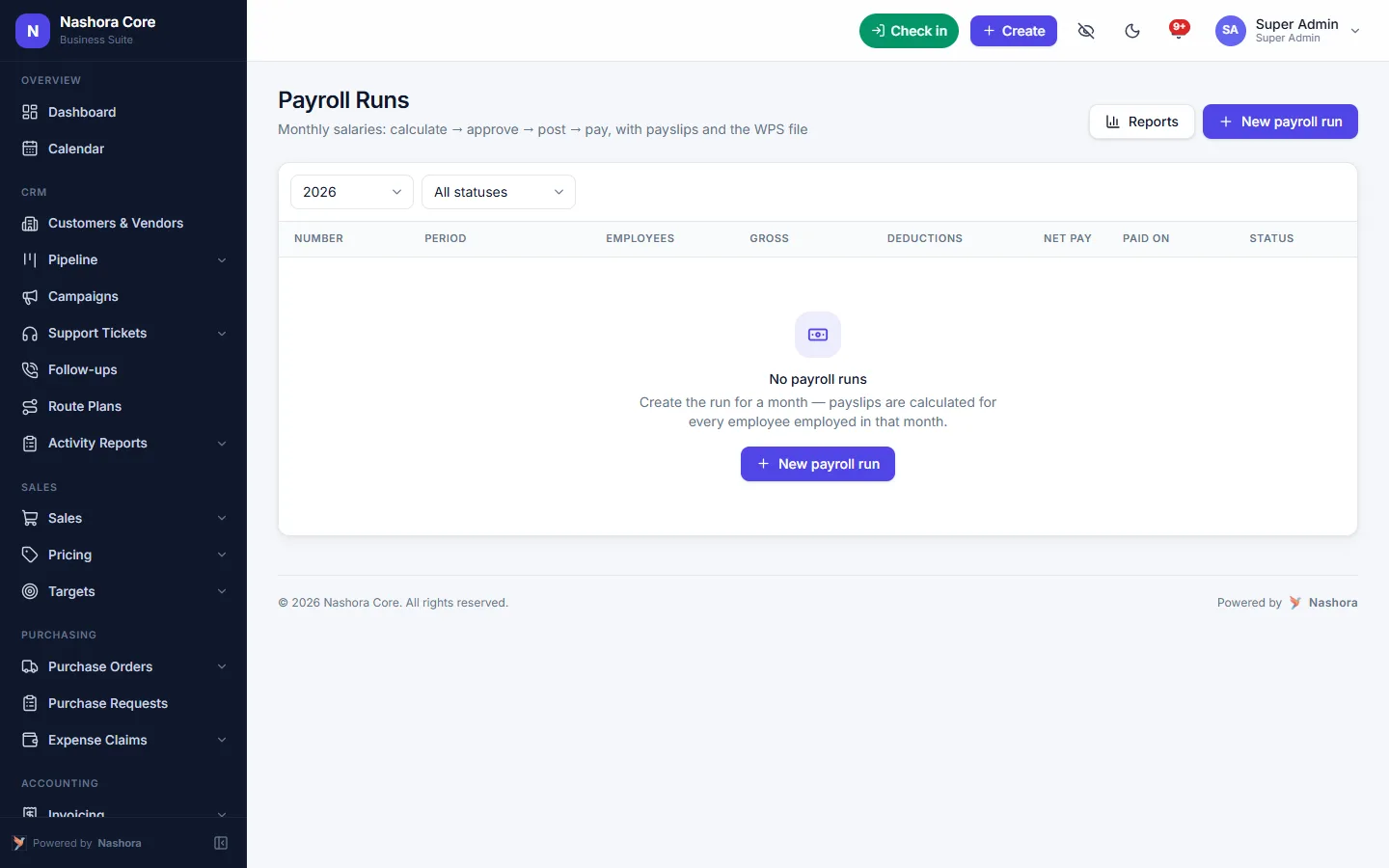
Nashora keeps employees, attendance, leave, payroll and accounting in one system, so the routine above runs on data that is already there. The payroll screen is built around the same sequence: calculate, approve, post, pay, with payslips and the WPS file.
In practice, you create the run for a month and payslips are calculated for every employee employed in that month. Salary structures and pay components are applied, with proration for joiners and leavers, unpaid leave, overtime, bonuses and loan or advance instalments. You review, approve and post. Then you download the WPS SIF file for your bank or exchange house, plus a bank transfer file, and send out the payslips by e-mail, print them or let staff open them in self-service. Each run posts its own journal to the accounts.
| Task | Nashora | Spreadsheets | Separate apps |
|---|---|---|---|
| Attendance into payroll | Attendance, shifts and overtime feed the run | Machine export re-typed | Export and import between tools |
| Leave and unpaid days | Approved leave is on the calendar when you calculate | Tracked in e-mail or a separate file | In the leave app, linked by hand |
| Overtime approval | Requests approved by the manager first | Added by whoever remembers | Depends on the app |
| Loans and advances | Instalments deducted automatically | A separate list | Sometimes available |
| Proration for joiners and leavers | Applied in the run | Formulas you maintain | Varies |
| WPS SIF file | Produced from the approved run | Built or pasted by hand | Often needs a separate step |
| Payslips | Printed, e-mailed or in self-service | Mail-merge | Usually included |
| Gratuity and final settlement | Calculated from the employee record | Rebuilt for each leaver | Varies |
| Accounting entry | Each run posts its own journal | Totals re-keyed | Needs a link to accounts |
| Who sees salaries | Roles decide who can view, approve or export | Whole file shared | Set up in each app |
There is a sensible caution here too. Software gives you the file, but you remain responsible for the inputs and for confirming that rules such as overtime and gratuity are applied correctly for your company. We suggest running one month in parallel with your old method and comparing the net pay of every employee before you switch.
Benefits and who needs it
One source for attendance, leave and pay
Overtime and unpaid leave flow from attendance into payroll. Nobody retypes hours from a machine export.
Fewer corrections
Corrections and overtime are approved before the run, not argued about after payslips are out.
Salaries in the books on the same day
The payroll journal posts automatically, so finance sees the real salary cost at month end. Our article on accounting and CRM software explains why one database matters.
Less time answering routine questions
Employees see their own payslips, leave balance and attendance in self-service and request leave, letters, loans and corrections there. Managers approve from My Team.
Who gets the most from it
Companies with site and field staff (contracting, maintenance, services) benefit from QR and geofenced check-in. Multi-branch businesses can give each branch manager their own team while head office sees everyone, and our guide to managing multiple branches in one ERP covers the wider picture. Growing SMEs that are about to pass 20 or 30 staff usually find the spreadsheet stops being safe around then. If that is you, read Excel vs ERP software and how to move from Excel to ERP software before you decide.
Payroll for businesses across the UAE
Companies in Dubai, Sharjah, Abu Dhabi, Ajman, Ras Al Khaimah, Fujairah, Umm Al Quwain and Al Ain follow the same federal labour framework, but the details differ by situation. Mainland companies pay through WPS. Free zone companies may have their own authority and rules. Multi-nationality teams mean different leave patterns and different documents to track, such as passports, visas and Emirates IDs with expiry dates. Nashora keeps those on the employee record with expiry reminders.
Payroll also touches the rest of your finance. Salaries are a cost in your books, and with UAE corporate tax at 9% above the AED 375,000 threshold, an accurate salary cost by month and cost centre matters beyond HR. Pay and VAT are separate matters, but both feed the same ledger, which you can see on the accounting and VAT software page.
On cost: HR, attendance, leave, WPS payroll, gratuity and self-service start with the Complete plan at AED 10,788 a year for 15 users and 25 payroll employees, plus a one-time installation fee of AED 8,500 in the first year. Prices exclude 5% VAT, and the pricing page has the details. On Complete we also set up payroll and WPS for you.
What to do next
- Write down your payroll calendar. Cut-off, approval and payment dates, and who owns each step.
- Split every contract into basic salary and allowances, and check the joining dates for gratuity.
- Audit last month. Pick five payslips and trace each number back to attendance, leave and approvals. Where you cannot, you have found your weak spot.
- Ask your bank or exchange house for its current SIF file requirements and test a file before payday, not on it.
- See a payroll month on your own data. Book a free HR and payroll demo and bring a month of real numbers, or talk to us. The FAQ answers common questions, and the features page lists every module.