
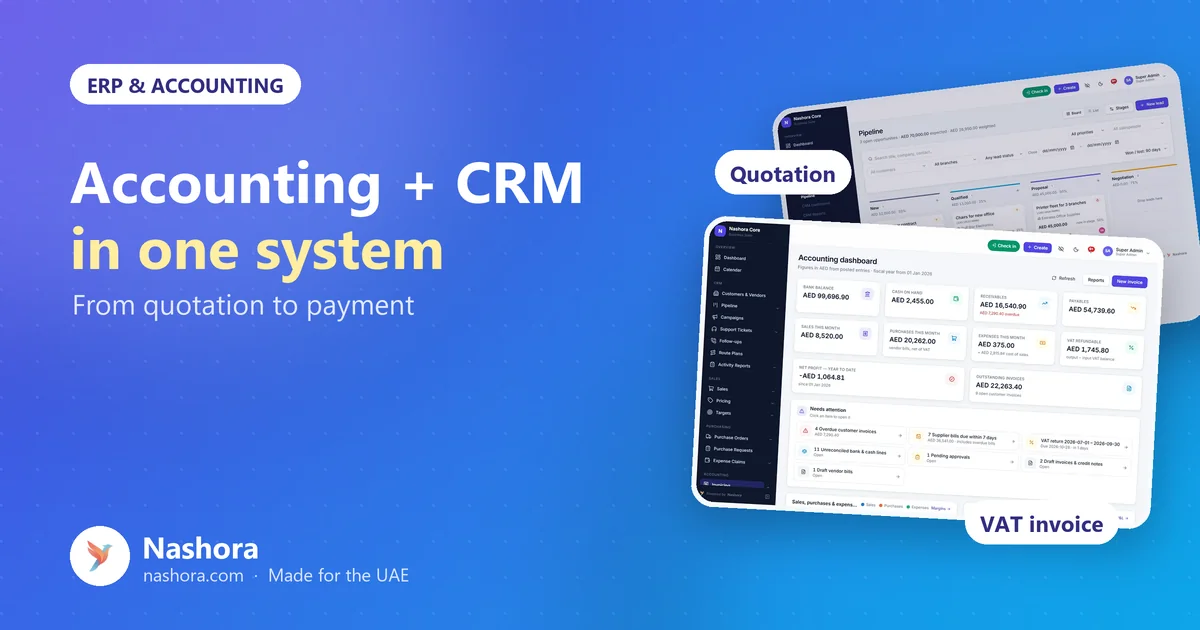
It is the 25th of the month. Your sales manager is on the phone with a customer in Ajman who wants three more pallets, and she is about to say yes. Meanwhile your accountant has just noticed that the same customer has two invoices more than 60 days old, one of them for a delivery the customer says was short. The CRM shows a happy customer with a warm deal. The accounting package shows a slow payer with a dispute. Nobody has seen both at once.
That gap is what this article is about. If you have gone looking for accounting and CRM software in the UAE, you have probably felt it: a CRM that doesn't know what was invoiced, and an accounting package that doesn't know what was promised. Below we explain why it happens, what changes when the whole chain from quotation to payment lives in one database, and what to check before you pick a tool.
Why most UAE businesses end up with two systems that never meet
Nobody plans it. The business registers for VAT, so an accountant sets up an accounting package. Later the sales team needs somewhere to keep leads, so someone buys a CRM, or just starts a spreadsheet. Quotations live in Word and get sent by WhatsApp. Stock sits in a sheet that one person understands.
Each tool is fine on its own. The trouble is the seams between them. A quotation is accepted in the CRM, then somebody retypes it into the accounting package as an invoice. The retyped version has a slightly different price, or misses the discount your sales manager approved by phone. Three weeks later the customer queries the invoice and nobody can say which version was right.
Two kinds of "integration" that disappoint
Some businesses try to fix this by connecting the apps. A connector copies customers and invoices from one side to the other, usually overnight. It works until a customer is renamed in one app, a tax code is mapped wrongly, or the connector quietly stops and nobody notices for a fortnight.
The other common fix is an export. Every Thursday someone downloads a CSV from the accounting package and pastes it into the sales sheet so the team can see what customers owe. It is better than nothing, but the numbers are already out of date by Friday.
What each side is missing
The CRM knows what was promised: the quoted price, the delivery date, the follow-up you agreed. It does not know what was invoiced, what was paid or what is overdue. The accounting package knows exactly the opposite. So the people who can improve the situation, your salespeople, can't see the money, and the people who see the money, your accounts team, can't see the promises.
What changes when quotation to payment lives in one database
When people say "quote to cash" they mean the whole journey of a sale: quotation, sales order, delivery, invoice, payment, and finally the aging that shows what is still open. In most companies that journey crosses at least two systems and three people.
When it all sits in one database, each document is created from the one before it. The accepted quotation becomes the sales order. The order becomes pick lists and delivery notes. You invoice what was delivered. The receipt is recorded against the invoice. Nothing is retyped, so nothing can drift.
That is how Nashora's CRM, sales and inventory module works, and it posts into the same books described on our accounting and VAT software page. The sales team and the accounts team are not looking at two copies of the truth. They are looking at one record from two sides.
How quote to cash works in Nashora, step by step
Here is a typical sale, one document at a time, based on what the product does today.
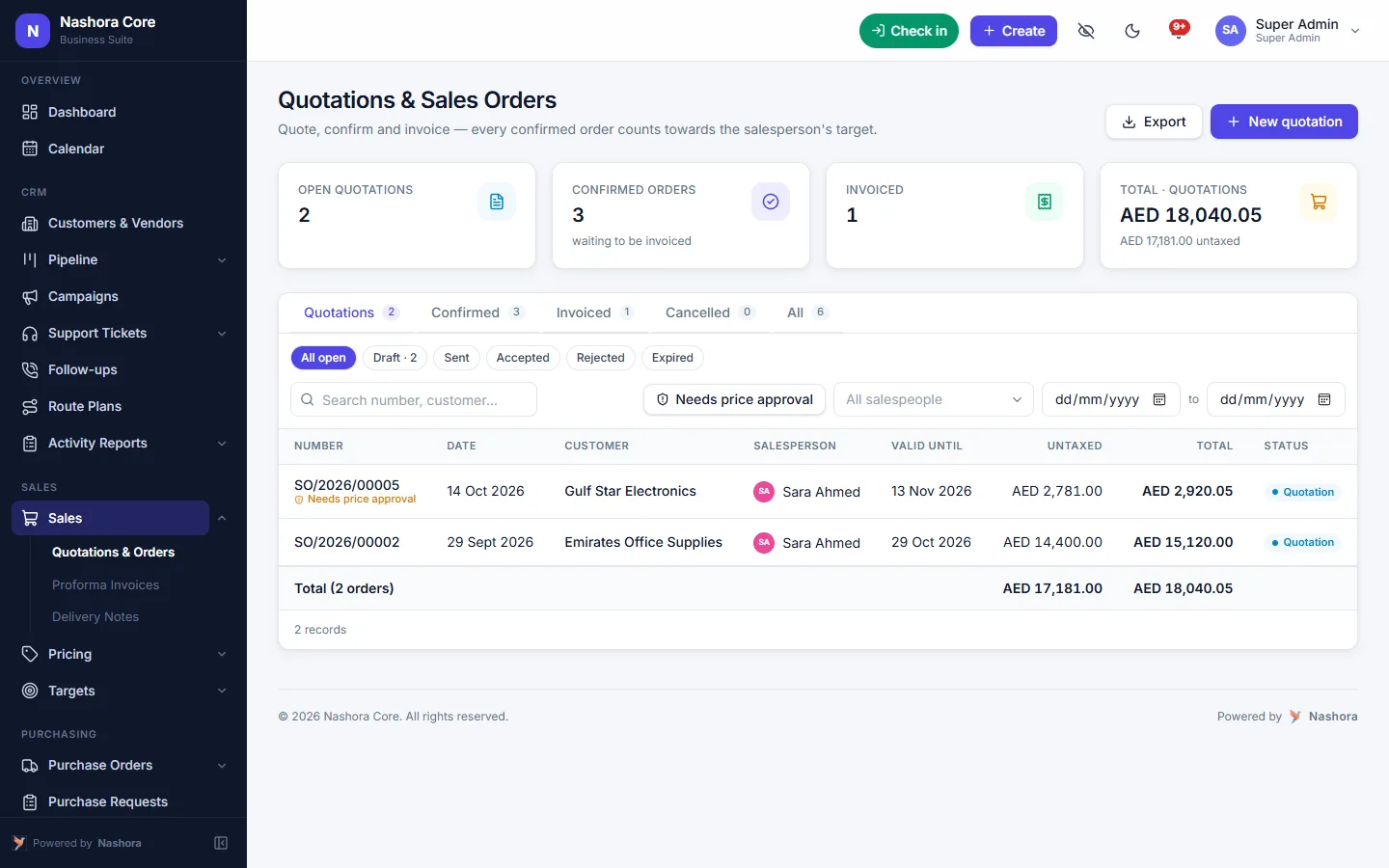
- Quotation. The salesperson builds it from the customer's price list, keeps each version, sends it for approval if needed and e-mails it. A below-cost check flags a discount that would lose money.
- Sales order. When the customer accepts, the quotation becomes a sales order. For customers who pay in advance, a proforma invoice is issued from the order.
- Pick, pack and deliver. Pick lists and packing lead to the delivery note. You can deliver in full or in parts, and each delivery note reduces stock in the warehouse it ships from.
- Invoice. The customer invoice is created for what was delivered, with UAE VAT on every line. It posts its own journal to sales, receivables and output VAT.
- Payment. The receipt, or a post-dated cheque, is recorded against the invoice and clears the receivable. It then appears in the bank reconciliation.
- Follow up what is open. Receivable aging shows who is overdue, and the salesperson's own follow-ups sit on the shared calendar.
- VAT return. At period end, the invoice is already in the right VAT 201 box and in the FTA Audit File export.
Your accountant does not enter the sale a second time. That one fact removes most of the month-end arguments.
VAT and TRN on every invoice, without a second pass
In the UAE a tax invoice has to carry certain details, including your Tax Registration Number (TRN), the customer's details where required, and the VAT charged. Get those wrong and your customer may not be able to recover the VAT, which means a phone call you did not want.
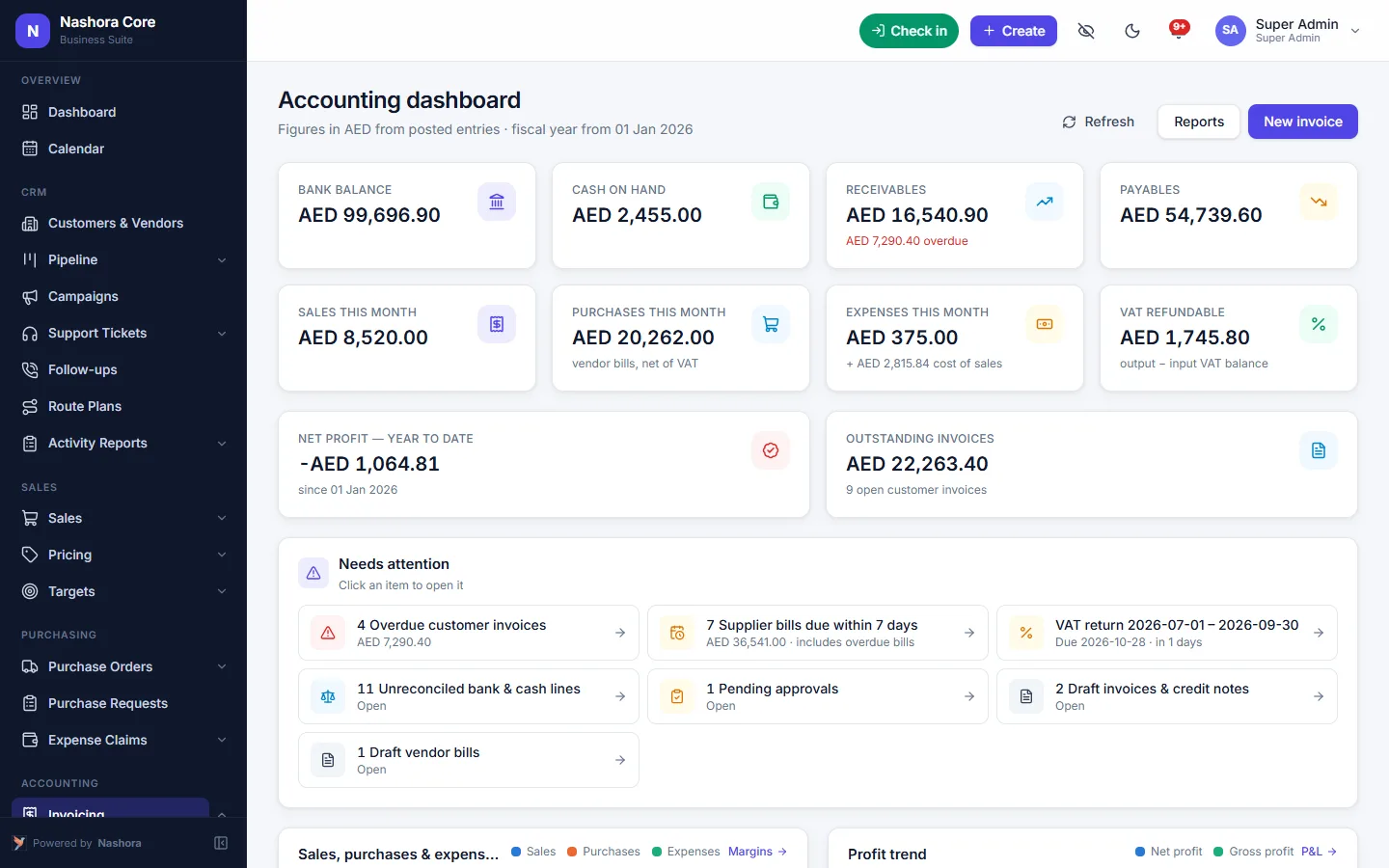
The practical benefit of one system is that VAT is worked out where the sale is created, not later by someone interpreting a PDF. In Nashora, VAT is calculated on every line as standard, zero-rated, exempt or reverse charge. The VAT 201 return is prepared by period and by the selling branch's emirate, and the FTA Audit File can be exported and validated when it is requested.
For groups with more than one company, the companies run inside one Nashora, each with its own books, TRN and VAT return, and one login. That matters for free zone and mainland entities that sit under one owner but file separately. Nashora also produces PINT-AE e-invoice XML for your accredited provider, which helps as e-invoicing is phased in across the UAE.
What each team sees: one record, different angles
The point of putting everything in one place is not that everyone sees everything. Access is set by role. A salesperson can be limited to their own customers, a branch manager to their branch, and the owner sees all. The point is that the same facts are available to whoever needs them, without a request by message.
| Team | What they need to know | Where it comes from in Nashora |
|---|---|---|
| Sales | Customer history, open orders, quotation status, what the customer bought before | Customer 360 and the pipeline, with sales, orders and products bought on one screen |
| Sales manager | Pipeline value, win rate, overdue follow-ups, targets | CRM dashboard by period, salesperson, team, source or branch |
| Warehouse | What to pick, what was delivered, stock left | Pick lists, packing and delivery notes that reduce stock |
| Accounts | Invoices, receipts, VAT, post-dated cheques, bank reconciliation | Customer invoices with VAT, receipts, cheque register, statement import |
| Collections | Who owes what and for how long | Receivable aging report from the same ledger |
| Owner or finance manager | Margins and profit by product, customer and branch | Profitability reports, P&L and balance sheet, exportable to Excel and PDF |
Credit limits, overdue invoices and collections follow-ups
Here is a scene most sales managers know. A customer calls for an urgent order. The salesperson wants the sale. The accountant knows the customer is 90 days behind. If those two facts live in different systems, the order goes out and the debt gets bigger.
What you want is for overdue balances to be visible to sales before the promise is made, and for chasing to be a routine rather than a panic. In Nashora the receivable aging report and the customer's invoices and receipts sit in the same system as the quotation, so the information exists in one place and can be opened to the people who need it, depending on their role.
We want to be straightforward about one point. Our public feature list covers receivable aging, receipts, post-dated cheques, follow-ups and activities, but it does not describe an automatic credit-limit block on new orders. If a hard credit-limit rule is essential to you, ask for it by name in the demo and see it on screen before you decide.
Making collections a habit
The simplest routine is a weekly one. Accounts reviews the aging, picks the customers over 30 or 60 days, and the salesperson who owns each account puts a follow-up on the calendar. Because follow-ups, activities and the shared calendar are part of the same system, the call is logged against the customer, not lost in someone's phone.
Post-dated cheques deserve a note of their own, because they are everywhere in the UAE. The cheque register tracks them with reminders before they fall due, so a cheque is not forgotten in a drawer and then banked a week late.
Nashora vs a spreadsheet vs separate CRM and accounting apps
Honestly, a spreadsheet is fine while you have a handful of customers and one person doing everything. It stops being fine the moment two people need the same figure. Separate apps are better, but they bring the seams we described above. Here is how the three approaches compare on the daily work.
| Task | Nashora | Spreadsheets | Separate CRM + accounting |
|---|---|---|---|
| Quotation to invoice | Quotation becomes order, delivery and invoice | Retyped into a new sheet or template | Retyped, or synced by a connector |
| VAT on each line | Standard, zero-rated, exempt or reverse charge on every line | Formulas you maintain | In the accounting app only |
| Seeing what a customer owes | Aging and invoices in the same system, access by role | Ask the accountant | Visible in accounting, not in the CRM |
| Receipts and post-dated cheques | Receipt against the invoice, cheque register with reminders | A separate list | Sometimes included |
| Partial deliveries | Several delivery notes, invoice what was delivered | Tracked in comments | Often limited |
| Stock and cost of goods | Delivery moves stock, valuation reconciled to the books | A separate stock sheet | Needs a third app or a link |
| Bank reconciliation | Statement import and matching | Ticked off by hand | Usually in accounting only |
| VAT 201 and FTA Audit File | Prepared from posted invoices; FAF exported and validated | Totals added up manually | Covers only what the accounting app sees |
| Who sees what | Own, team, branch or all records, per role | Whole file shared | Set up separately in each app |
| Audit trail | Audit log of every change, with IP address | Hard to tell who changed what | A separate log in each app, if any |
| Cost | One licence, priced by users and modules | Cheap to start, costly in staff time | Several subscriptions to renew |
Benefits of keeping sales and accounts together
Fewer retyped documents
The price on the quotation is the price on the invoice, because the invoice grew out of the quotation. Disputes about what was agreed get shorter.
Faster cash collection
When the salesperson can see what is overdue, follow-ups happen earlier. You are not waiting for the monthly accounts meeting to learn that a customer stopped paying.
Margins you can believe
Freight and customs are added to product cost as landed costs, and you choose average cost or FIFO. Profitability reports by product, customer and branch then use what the goods really cost you, not a guess.
A shorter month-end
Stock valuation is reconciled to the books and invoices have already posted their VAT. Your accountant spends the month-end checking figures, not hunting for the reason two reports disagree.
One login, one training session
Staff learn one system instead of two, and you pay one vendor instead of coordinating between them.
Who this suits: use cases by business type
Trading and distribution companies
Different prices for different customers, orders delivered in several drops and plenty of customers on credit. Price lists per customer, branch and currency, partial deliveries and receivable aging all sit in one place.
Wholesalers with a sales team on the road
Route plans tell each salesperson where to go, activity reports record the visit, and because Nashora runs in the browser, they can update a lead from a phone between appointments.
Service and contracting firms
If you quote projects and bill in stages, the quotation, proforma and invoice stay linked to one customer record, with projects and cost centres on the accounting side.
Multi-branch retailers
Branches and cost centres go on every document, so profitability by branch and a VAT 201 that follows the selling branch's emirate come from the same entries.
Small companies outgrowing Excel
If today you keep a customer list, a quotation template and an invoice template in three places, a combined system will feel like a relief. Start with accounting and add the sales modules when the team grows. Plans are on the pricing page.
Real day-to-day scenarios
Picture a trading company in Sharjah that sells building materials. These are illustrative situations, not a customer story, but they are the kind of thing that changes.
The disputed delivery
A customer says only 40 of 50 units arrived. With one system you open the order, see the delivery notes, and invoice only what was delivered. You do not argue from two different spreadsheets.
The advance payment
The customer wants to pay half up front. You issue a proforma invoice from the sales order, record the payment, deliver, and the final tax invoice links back to the same order.
The month-end question
The owner asks, "Why does the VAT return not match the sales report?" When both come from the same posted invoices, the question mostly disappears.
What to check when choosing accounting and CRM software
Whatever tool you look at, run it through the same list. Ask for each item to be shown live, with your own sort of order, not a polished demo company.
| Area | What to check | In Nashora |
|---|---|---|
| Document chain | Does the quotation become an order, a delivery and an invoice without retyping? | Yes, in that order, with pick lists, delivery notes and partial deliveries |
| VAT and TRN | Is VAT calculated per line, and is your TRN on the invoice? | VAT on every line; separate TRN and VAT return per company |
| VAT 201 and FAF | Can the return and the FTA Audit File come from posted invoices? | VAT 201 by selling branch's emirate; FAF export with validation |
| Receivables | Can sales see overdue balances for their own customers? | Receivable aging and customer invoices in the same system, access by role |
| Credit-limit blocks | Does the system stop an order for a customer over their limit? | Not on our public feature list. Ask us to show what is available |
| Cheques | Are post-dated cheques tracked with reminders? | Cheque register with due-date reminders |
| Stock and cost | Does a delivery reduce stock and value? | Yes, valuation reconciled to the books; average cost or FIFO |
| Bank reconciliation | Can you import statements and match? | Statement import and matching |
| Roles and audit | Who can see and change what, and is it logged? | Custom roles, approval limits, audit log with IP address |
| E-invoicing | Is there a path for UAE e-invoicing? | PINT-AE e-invoice XML for your accredited provider |
| Data import | Can you bring in customers, products and opening balances? | Excel import, with help from our team |
| Reports | Aging, profitability and P&L without exports between apps? | Built in, with Excel and PDF export |
Be a little suspicious of any answer that ends with "with an export" or "through a connector". Those are the seams again.
Why it is easier to get started than you might expect
Nashora runs in the web browser on desktop, tablet and phone, so there is nothing to install. We set up your company, VAT, users and roles, help import customers, vendors, products and opening balances from Excel, and give each team short training. Help mode explains each screen and a built-in tutorial walks new users through examples. Most companies go live within days to a few weeks.
On cost, the modules map to plans. Accounting, VAT, invoices and basic stock begin on the Starter plan at AED 2,508 a year for three users. The CRM, quotations, purchasing and full inventory come with the Business plan at AED 6,468 a year for ten users. Prices exclude 5% VAT and there is a one-time installation fee; the pricing page has the details.
Serving businesses across the UAE
We are based in Al Nahda, Sharjah, and Nashora is built for businesses in Dubai, Sharjah, Abu Dhabi, Ajman, Ras Al Khaimah, Fujairah, Umm Al Quwain and Al Ain. Because it runs in the browser, your sales team in Al Ain and your accountant in Dubai work on the same data.
The UAE context is built in: VAT at 5% on every line, a TRN per company, the VAT 201 return by period, the FTA Audit File, and e-invoicing files for your accredited provider. With the corporate tax regime at 9% now part of normal life, clean and consistent books matter more than they used to. If your team also needs payroll, the same company file handles HR and WPS payroll. The wider module list is on the features page.
What to do next
- Map your own chain. Write down who creates the quotation, the order, the delivery note, the invoice and the receipt today, and where each one is typed.
- Count the retyping. Every place a number is typed twice is a place for the two systems to disagree.
- List your must-haves. Include credit control, post-dated cheques and VAT reporting, then check each against the table above.
- Read the companion article. If stock is part of your problem, see what a stock-aware CRM is.
- See it with your data. Book a free demo, bring one real order and walk it from quotation to payment. Questions first? Check the FAQ or contact us.