
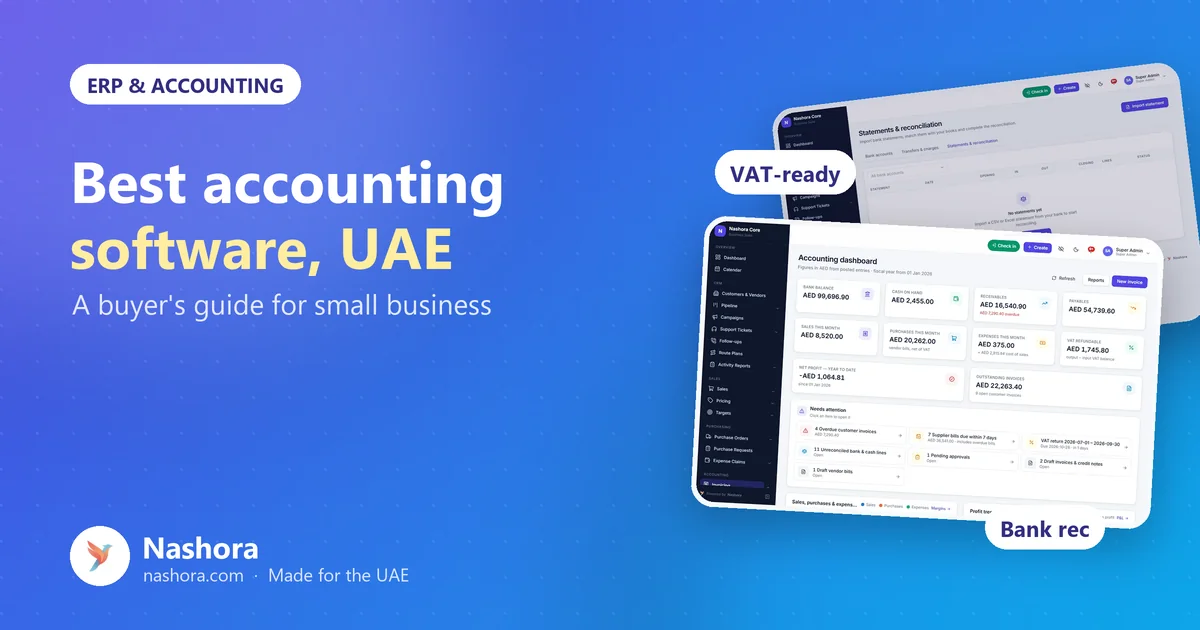
It is the last week of the quarter, and the owner of a small trading company in Sharjah is doing what most owners do: asking three friends which accounting package they use. She gets three different names and three confident opinions, and not one of them mentions the VAT 201 return. That is the trouble with searching for the best accounting software for small business UAE. The right answer for a freelancer in Ajman is not the right answer for a Dubai importer who buys in dollars and sells in dirhams.
So this is not a ranking. It is a buyer's guide: the criteria that actually matter in the UAE, how to score them, what different kinds of business usually need, and the point where an accounting-only product stops being enough. Near the end we say where Nashora fits, honestly, including what it does not claim to do.
Best accounting software for small business UAE: what "best" means
Elsewhere in the world, small business accounting software is mostly about invoices, expenses and a tidy profit and loss. In the UAE you add a layer on top. You are probably VAT-registered at 5%, you file a VAT 201 return with the Federal Tax Authority, you keep records for five years, and you may be asked for the FTA Audit File on request. Corporate tax at 9% above the AED 375,000 threshold has also made your profit and loss and balance sheet matter to a second tax, not only the VAT numbers.
That is why a generic international package can feel fine for a month and then frustrate you at the first filing. The best software is the one that handles your tax rhythm without a side spreadsheet, fits the way your team already works, and does not become a problem when you hire your fourth person.
Three questions before you compare anything
- What do you sell, and do you hold stock? Services need invoices and projects. Goods need purchasing, stock value and cost of sales.
- Who touches the books? Just you and an outside accountant, or a finance assistant, a sales team and a manager who approves payments?
- Where will you be in two years? A second branch, a warehouse or payroll for twenty staff changes what you need.
Write the three answers down. Every criterion below makes more sense once you know them.
Start with the rules: UAE VAT, the VAT 201 and the FTA Audit File
If the software cannot handle VAT properly, nothing else matters. Look for VAT applied per line, not per invoice, with standard-rated, zero-rated, exempt and reverse charge treatments. Real invoices mix them: a customer in the UAE at 5%, an export at zero, a supplier abroad billed under reverse charge.
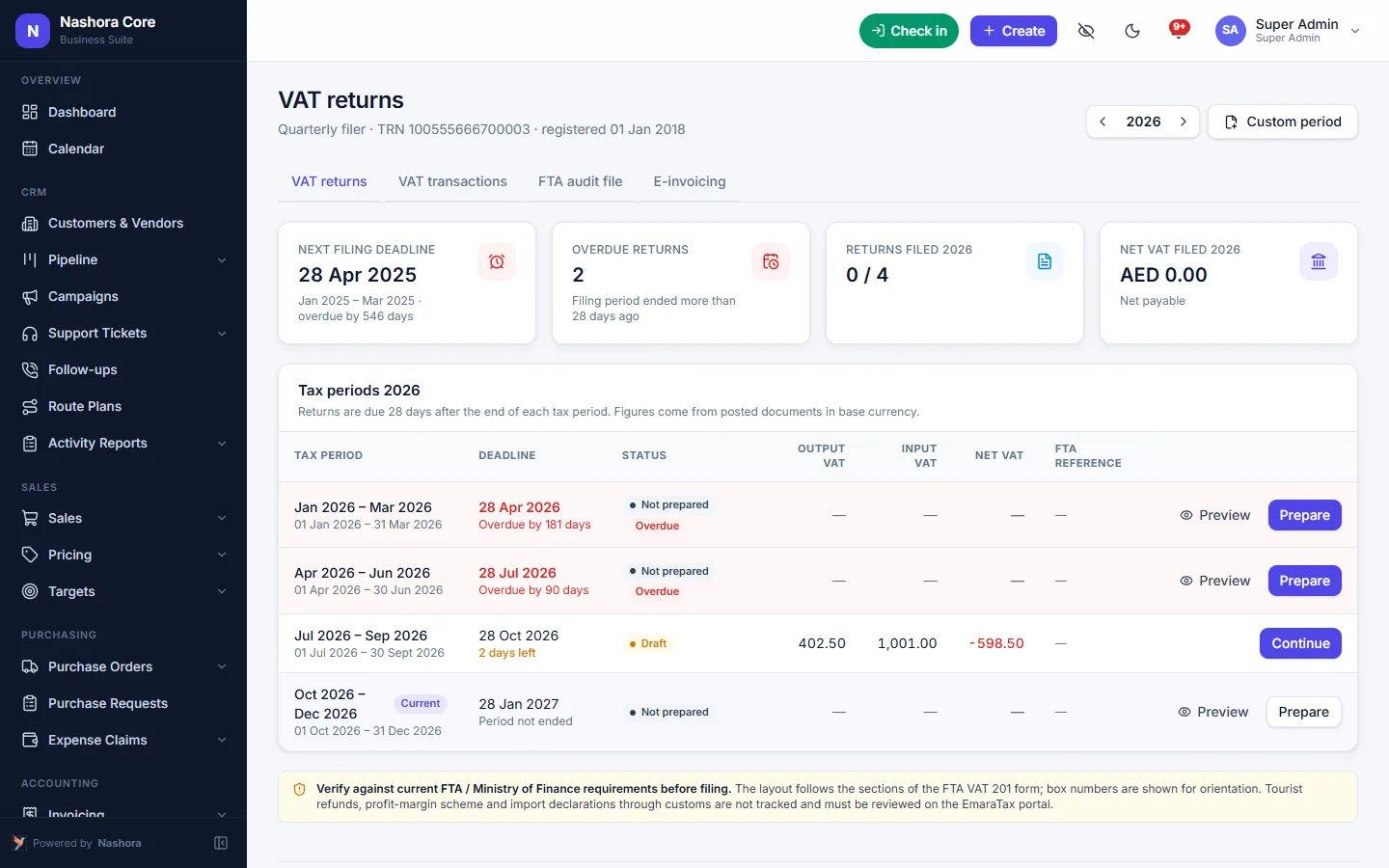
The VAT 201 return should come out of your posted documents, not out of a workbook someone maintains beside the books. A good test: can you click a box on the return and see the invoices and bills behind it? If the answer is no, you will end up checking totals by hand anyway. In Nashora, returns are prepared by period from posted invoices, bills, credit notes and debit notes, and the boxes are split by the emirate of the selling branch. We cover the filing steps in our guide on how to calculate VAT in the UAE, and the module itself is on the accounting and VAT software page.
The FTA Audit File
The FAF is a file in the FTA's prescribed format that you supply on request. Most owners never think about it until a letter arrives, and then they want to export it, not rebuild it. Ask whether the software exports it for a chosen period and whether it checks the file before you download it. Nashora validates the FAF before download, so format problems appear on your own screen, not after you have sent it. Our explainer on what an FTA Audit File is goes through what the file contains.
Locked documents and an audit log
Auditors, and honestly your own future self, like to know that a posted invoice cannot quietly change. Look for a clear split between draft and posted documents, corrections made with credit notes or reversals, a period lock once a quarter is filed, and an audit log that says who changed what. These are the unglamorous features that save a bad week.
E-invoicing readiness: what to ask now
The UAE is moving business invoicing towards a structured electronic format, called PINT-AE, exchanged through accredited service providers. The rollout is phased and the details can change, so check the FTA's current guidance for when it applies to you. What you can do today is choose software that is on that road rather than one that will need replacing.
Ask three plain questions. Can it produce structured e-invoice data for your invoices? Does it validate that data and show the status of each invoice? And is it honest about who does the sending? Nashora generates PINT-AE e-invoice XML, validates it and tracks its status, then you hand the file to your accredited service provider. Nashora is not itself an accredited service provider, and any vendor who implies otherwise deserves a follow-up question. Read more in UAE e-invoicing preparation.
The day-to-day features that save time: bank reconciliation, currency and cheques
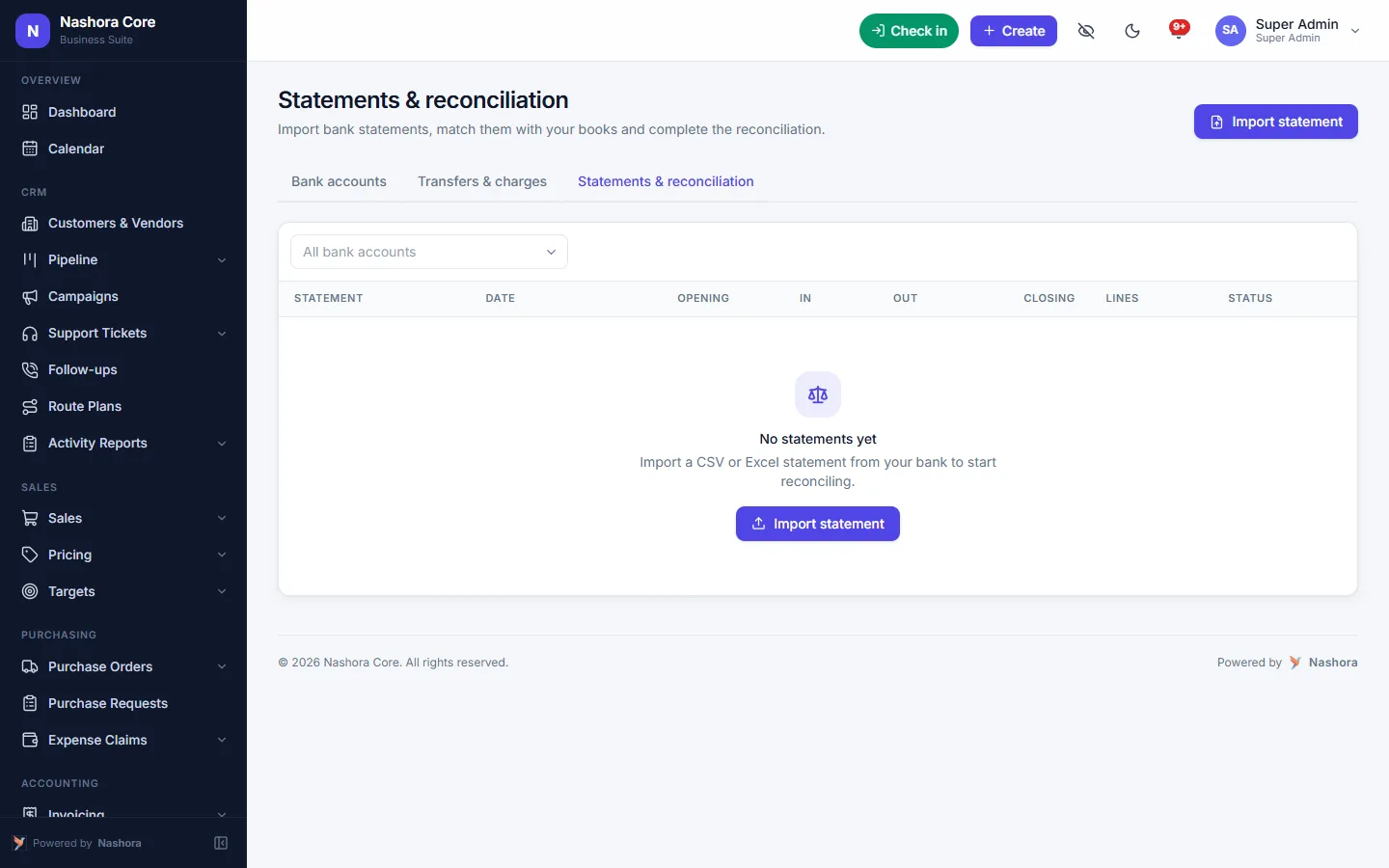
VAT happens quarterly. Bank reconciliation happens every month, and it is where small finance teams lose an afternoon. The question to ask is how the statement gets in and how matching works. In Nashora you import a CSV or Excel statement from your bank and match each line to a receipt, a payment or another entry in a few clicks. What is left unmatched is the short list worth investigating.
Cheques and petty cash
Cheques are still a daily fact of business in the UAE, and post-dated cheques are common with customers and landlords. A cheque register with due-date reminders beats a note in a drawer. Petty cash is better kept per custodian with a voucher per expense than as a mystery line in the ledger.
Multi-currency
If you buy in USD or EUR, the exchange rate quietly moves your margin. Check that you can record invoices and bills in other currencies with their rates, revalue open foreign balances at month-end, and see the exchange gains and losses posted. Nashora does all of this; some very basic tools do not.
Reports your accountant will actually use
Profit and loss, balance sheet, trial balance, ledgers and receivable and payable aging should all come out of the system and export to Excel or PDF. If your accountant has to rebuild them, you are paying twice.
Cloud or desktop, and how the pricing model works
Desktop accounting software made sense when one person kept the books on one computer. Today your accountant is in another office, your partner is travelling and your sales team wants to see who owes what. Cloud software runs in the browser, so the location of the people matters less. Nashora runs in the browser on desktop, tablet and phone with nothing to install.
Pricing is where small businesses get surprised. Check four things: if you pay monthly or yearly, how many users are included, whether there is a set-up or installation fee, and what renewal costs. A low headline price with a long list of extras is not cheap. The table below shows the shapes you will meet.
| Model | How you pay | Watch out for |
|---|---|---|
| Monthly per-user subscription | A fee per login, every month | Cost creeps as the team grows; ask whether occasional users count |
| Annual licence with included users | One yearly payment covering a set number of users | Check the user limit and the price of extra users |
| Perpetual licence | A large one-time payment, then yearly maintenance | Servers, upgrade projects and paying before you know it fits |
| Low price plus add-ons | A cheap base with extras for VAT, banking or support | The real price is the total after the add-ons you need |
Nashora uses an annual licence with users included. The Starter plan is AED 2,508 a year for three users, with a one-time installation fee of AED 1,500 in the first year. Both exclude 5% VAT, and renewal is the licence price only. Our pricing page has the full table, and our pricing guide explains how to compare quotes that are priced differently.
Support, language and documents
Support is a feature, and in the UAE it has a few specific meanings: someone who answers in your time zone, understands VAT 201 and speaks to you in a way your finance assistant understands. Ask where support is based, which channels you get (email, WhatsApp, phone) and what hours. On Nashora, Starter includes email support, Business adds priority email and WhatsApp, and Complete adds phone support in UAE business hours.
Language is the other one. Many UAE businesses issue invoices, quotations or statements in Arabic and English, and some customers expect it. Our public feature list does not describe bilingual documents, so we will not claim them here. If you need them, ask any vendor to show you a real printed invoice in both languages before you decide, and ask us the same in a demo.
A scoring checklist you can use this week
Comparing software from memory is how people end up with the product with the nicest demo. A simple weighted score is better. Give each criterion a weight from 1 to 3 for how much it matters to you, score each product from 0 to 5 after seeing it handle your own example, multiply and add up. The checklist below also shows what we offer for each point.
| Area | What to check | In Nashora |
|---|---|---|
| VAT treatments | Standard, zero-rated, exempt and reverse charge on each line? | All four, per line |
| VAT 201 | Built from posted documents, with drill-down? | By period, boxes by selling branch's emirate, drill-down to documents |
| FTA Audit File | Exported for a period and validated? | Yes, validated before download |
| E-invoicing | Structured PINT-AE data and status tracking? | PINT-AE XML with validation and status; handed to your accredited provider |
| Bank reconciliation | Statement import and matching? | CSV or Excel import, matched to receipts, payments and entries |
| Cheques | Register with post-dated cheque reminders? | Cheque register with due-date reminders; petty cash per custodian |
| Multi-currency | Rates, revaluation, gains and losses? | Base currency, any other currency, month-end revaluation |
| Controls | Draft vs posted, period lock, audit log, approvals? | All four, with approval rules by amount |
| Access | Cloud, any device? | Browser on desktop, tablet and phone |
| Arabic and English documents | Printed in both languages? | Not on our feature list: ask in a demo |
| Support | Channels, hours, location? | Email on Starter; priority email and WhatsApp on Business; phone in UAE hours on Complete |
| Growth path | Can you add CRM, stock, purchasing, HR later without migrating? | Yes, through the Business and Complete plans |
A worked example
Say a small trading company scores two products it has seen in demos. The weights come from the owner's priorities: VAT 201 is weight 3, and most other items are weight 2. The products are labelled A and B only.
| Criterion | Weight | A score | A total | B score | B total |
|---|---|---|---|---|---|
| VAT 201 and VAT treatments | 3 | 5 | 15 | 3 | 9 |
| FTA Audit File | 2 | 4 | 8 | 1 | 2 |
| E-invoicing readiness | 2 | 3 | 6 | 2 | 4 |
| Bank reconciliation | 2 | 4 | 8 | 4 | 8 |
| Multi-currency | 1 | 3 | 3 | 5 | 5 |
| Cloud access | 2 | 5 | 10 | 5 | 10 |
| Pricing clarity | 2 | 4 | 8 | 3 | 6 |
| UAE support | 2 | 3 | 6 | 2 | 4 |
| Growth path | 2 | 2 | 4 | 4 | 8 |
| Total | 18 | 68 | 56 |
Product A wins by 68 to 56 because it is stronger on VAT and the FTA Audit File, even though B is better at currency and growth. The score does not decide for you, but it shows what you are trading. If B's growth path matters more than you first thought, raise that weight and see what changes.
Run a one-week trial
- Write your three questions and weights. Stock, users and growth, plus the weight of each criterion.
- Pick one real week of documents. Ten invoices, five bills, a foreign-currency purchase, a credit note and last month's bank statement.
- Enter or import them. Customers, vendors and opening balances can usually come in from Excel.
- Prepare a test VAT return. Check that the boxes match your own sums and that you can drill into each one.
- Reconcile the bank statement. Time how long it takes and how many lines you match by hand.
- Score and decide. Multiply, add up and ask your accountant to look at the reports.
Who needs what, by business type
Not every small business needs every feature. Here is a starting point, based on what each type usually cares about. Treat it as a guide and not a rule.
| Business type | What matters most | Where to start |
|---|---|---|
| Freelancer or consultant | Clean VAT invoices, the VAT 201 return, expenses | Accounting and VAT on its own is enough |
| Small service company | Recurring invoices, profit by cost centre, expense claims | Accounting first; add projects and claims as the team grows |
| Small trading company | Stock value, landed cost, multi-currency, purchases | Accounting with basic stock; full inventory when stock gets complicated |
| Wholesaler or distributor | Price lists, partial deliveries, receivable aging | Accounting plus sales and inventory in one system |
| Contractor | Job-by-job cost, approvals on larger bills | Accounting first; add projects and purchase approvals as jobs multiply |
| Multi-branch business | Profit by branch, VAT by emirate | Accounting with branches from the start |
| Business with a growing payroll | WPS salary files, gratuity, attendance | Accounting with HR and payroll in the same system |
Notice how many rows end with "in the same system". That is not a sales line; it is what happens to small businesses once they have stock, staff or branches. The next section covers the signs.
When accounting-only stops being enough
Accounting software is excellent at one job: recording money. It gets awkward when other departments need to feed it. Here are the signs we hear most often.
- Someone re-types invoices from another app or a spreadsheet at month-end.
- The stock sheet and the balance sheet never quite agree.
- Salespeople promise stock they cannot see, or chase unpaid invoices from memory.
- Payroll sits in a separate workbook and someone copies the journal in by hand.
- Approvals happen over WhatsApp and nobody can prove who agreed to what.
If two or more sound familiar, you are probably better off with an ERP built around the books than with accounting plus a patchwork of other tools. We compare the two approaches in accounting software vs ERP, and the first step many businesses take, leaving spreadsheets, is covered in Excel vs ERP software.
Where Nashora fits
Nashora is a cloud ERP built in Al Nahda, Sharjah, with accounting and UAE VAT at its centre. The Starter plan covers books, invoices, bills, credit notes, receipts, bank and cheque handling, multi-currency, VAT returns, the FTA Audit File and basic stock for three users. It is the right size for a small trading or service company that wants proper books and VAT without a spreadsheet at month-end.
Over three years, Starter costs AED 9,024 excluding VAT: AED 4,008 in the first year (licence plus installation) and AED 2,508 in each of the next two. A VAT-registered business can usually reclaim VAT on software as input tax, subject to the normal rules, so check with your adviser.
Be clear on the limits
Starter has three users, email support, and no CRM, quotations, full purchasing or payroll. Those start in the Business and Complete plans. Our feature list does not mention bilingual Arabic and English documents, so ask us about that if it matters. We would rather you hear it from us than discover it in week three.
Room to grow
Because every module shares one database, you can start with the books and add CRM, purchasing and full inventory through the Business plan, or HR and WPS payroll through Complete, without migrating anything. If you want to see where that leads, read our guide to accounting and CRM software in the UAE and the full features list.
Serving small businesses across the UAE
Nashora works for companies in Dubai, Sharjah, Abu Dhabi, Ajman, Ras Al Khaimah, Fujairah, Umm Al Quwain and Al Ain. Because it runs in the browser, you can train a team in Dubai and an accountant in Sharjah at the same time. Your TRN sits with your company, VAT is 5% by default, and the VAT 201 boxes follow the selling branch's emirate, so a business with outlets in two emirates files from one set of books.
Mainland and free zone companies both need clean records, although the tax treatment can differ. Check your own position with the FTA or your tax adviser; this article is not tax or legal advice.
What to do next
- Answer the three questions. What you sell, who touches the books and where you will be in two years.
- Copy the checklist. Set your weights, and add any criterion that matters to you.
- Collect a real week of paperwork. Use it for every trial so each product faces the same test.
- Check the numbers. Compare quotes on a three-year total, not the monthly teaser, using our pricing page as a model.
- See Nashora with your own documents. We would be glad to book a free demo and walk through your VAT return, bank reconciliation and one foreign-currency bill. The FAQ covers setup and security, or contact us with a question first.