
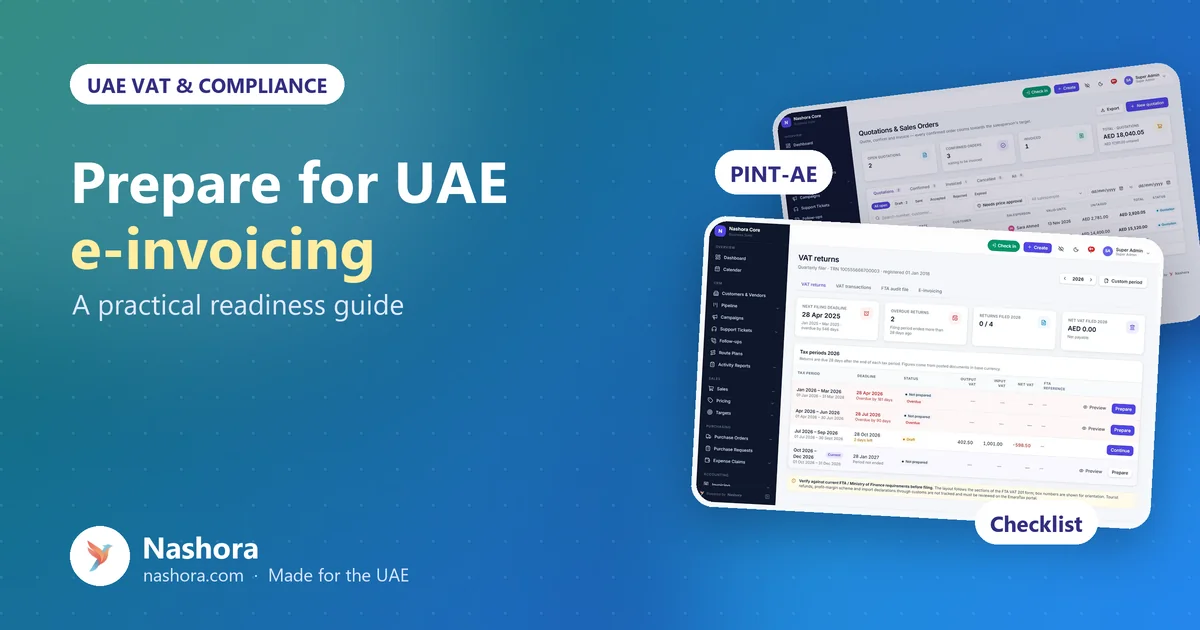
Your accountant emails a PDF invoice to a customer in Abu Dhabi. Their team prints it, types the figures into their own system, and three weeks later asks for a copy because the first one went missing. Everyone calls that an electronic invoice. Under UAE e-invoicing, it is not.
The UAE is moving business invoicing to a structured electronic format that systems exchange with each other, with no re-typing in the middle. The rollout is phased, and this guide deliberately avoids dates, because the authorities set them and they are best read at the source. What you can do today is get ready. Below we explain what e-invoicing means in plain words, how to prepare step by step, a readiness checklist, and what Nashora does and does not do. General information only, not tax advice: check the current FTA and Ministry of Finance guidance for how it applies to you.
UAE e-invoicing in plain words
A PDF invoice is a picture of an invoice. A person can read it, but software cannot reliably tell which number is the VAT amount, which line is a discount or which string of digits is the customer's TRN. That is why the customer retypes it.
An e-invoice is the same document as structured data: an XML file where every piece of information has its own labelled field. Seller and buyer, TRN, invoice number and date, each line with quantity, price and tax category, totals and VAT. Because the fields are labelled, the receiving system can read the invoice, check it and post it without a person in the middle.
What is PINT-AE?
For everyone to read each other's invoices, there has to be an agreed layout. In the UAE that layout is called PINT-AE. It is the UAE's version of an international invoice model, built on the Peppol framework used in other countries. You do not need to learn the field names. You do need to know that your invoice data will be checked against it, so incomplete or inconsistent data will be caught.
What it is not
E-invoicing is not the same as emailing a PDF, not the same as printing a tax invoice from software, and not the same as filing your VAT 201. It sits in front of the return: the invoice data comes first, and the return is built from the same figures.
How the exchange works: your system, your provider, your customer
You do not send e-invoices straight to your customer, and your accounting system does not talk to the authorities by itself. In the model the UAE is adopting, businesses exchange invoice data through accredited service providers, companies approved by the authorities to receive, validate and pass on e-invoices.
In simple terms, your accounting software produces the invoice data in the PINT-AE format and hands it to your accredited provider. Your provider checks it and delivers it to your customer's provider, which delivers it to your customer's system. The wider framework also covers how invoice data reaches the tax authority. The details of that flow, and which businesses and transactions are in scope when, are for the authorities to say, so follow their current guidance rather than a blog post, including this one.
The practical point for you: three things have to work. Your own data must be clean, your software must produce a valid file, and your provider must accept it.
Why preparation matters more than the date
Many businesses ask "when does it start for us?" It is a fair question, but it is the wrong first question, because every date is a date to be ready by. The work is the same whenever it lands.
Here is why. A PDF can hide a lot. A customer name abbreviated three different ways, a missing TRN, an item with no clear tax treatment, two invoices with the same number: a person shrugs and carries on. A system that validates structured data does not shrug. It rejects the invoice, and someone has to find the cause and reissue it, probably at the end of the month, probably while the customer waits to pay.
So preparing for e-invoicing is mostly the dull job of making your master data and your numbering trustworthy. That is useful with or without e-invoicing: it also makes the VAT return faster and the FTA Audit File less stressful.
How to prepare for e-invoicing, step by step
This is the order we would work in. Steps one to five are about your data and documents, and they cost almost nothing but time.
- Clean your customer records. One record per customer, with the registered legal name, address and a TRN that has been checked. Merge duplicates.
- Put TRNs everywhere they belong. Customers who are VAT-registered need their TRN on file before you invoice them. Add your suppliers' TRNs as well, since you will receive e-invoices too.
- Standardise items and tax codes. Each product or service needs a clear description, one unit of measure and a default VAT treatment (standard-rated, zero-rated, exempt or reverse charge).
- Fix invoice numbering. Use unique numbers, never reuse one, and be able to explain every gap. Each branch or series should be consistent.
- Tidy your credit note practice. Every credit note should point to the invoice it corrects, with a reason. Do not overwrite a posted invoice.
- Choose an accredited service provider. Check the authorities' official list, ask the questions in the table below and, if possible, run a trial.
- Test with real invoices. Push a set of your own invoices through the whole chain, including awkward ones, and fix what is rejected.
- Train your staff. Make sure whoever invoices, whoever posts and whoever handles rejections knows the routine and who to call.
None of this requires special software. A spreadsheet of customers with TRN and legal names, a list of items with tax codes and a review of numbering can all be done this month.
Clean master data: customers, items and tax codes
Master data is the information you reuse on every invoice: who you sell to, what you sell and how it is taxed. If it is wrong in the master record, it is wrong on every invoice that uses it, which is why it is the best place to start.
| Record | Typical problem | What it causes | Fix |
|---|---|---|---|
| Customer name | Short or trading names that differ from the registered name | Mismatches when the buyer's system checks the invoice | Use the legal name shown on the customer's VAT registration |
| Customer TRN | Blank, mistyped, or with spaces and dashes | The invoice cannot be matched to the buyer | Store it as a clean 15-digit number and check each one |
| Address and emirate | Incomplete, or one line with everything | Missing party information | Use separate fields for street, emirate and country |
| Item description | Codes only, or different wording each time | Unclear lines for the buyer | One clear description per item |
| Unit of measure | PCS, Pc, Nos and Each used for the same thing | Inconsistent quantity data | Agree one list of units and map the old ones |
| Tax treatment | No default, or a wrong one on old items | Wrong VAT category on a line | Set a default per item and review exceptions |
Customers with a TRN, and customers without
Your business customers with a TRN are the heart of it. Individuals and customers without a TRN may be handled differently under the rules, so ask your adviser or provider how they apply to you. Do not guess.
Tax codes you can explain
If one item is standard-rated in January and zero-rated in March, someone should be able to say why. A short note on each exception saves an hour of questions later.
Invoice numbering, credit notes and corrections
Numbering looks boring until a system refuses a duplicate. Each tax invoice needs a number that is unique and, in practice, sequential within its series. If you run several branches or several invoice books, check that they do not collide, and write down the reason for any skipped number: a voided draft, a test, a cancelled order.
Corrections deserve the same care. Once an invoice has been issued, the clean way to change it is a credit note, and then a new invoice if needed, not an edit to the original. A credit note that clearly points to the invoice it corrects is easy to match on the buyer's side and easy to explain to an auditor.
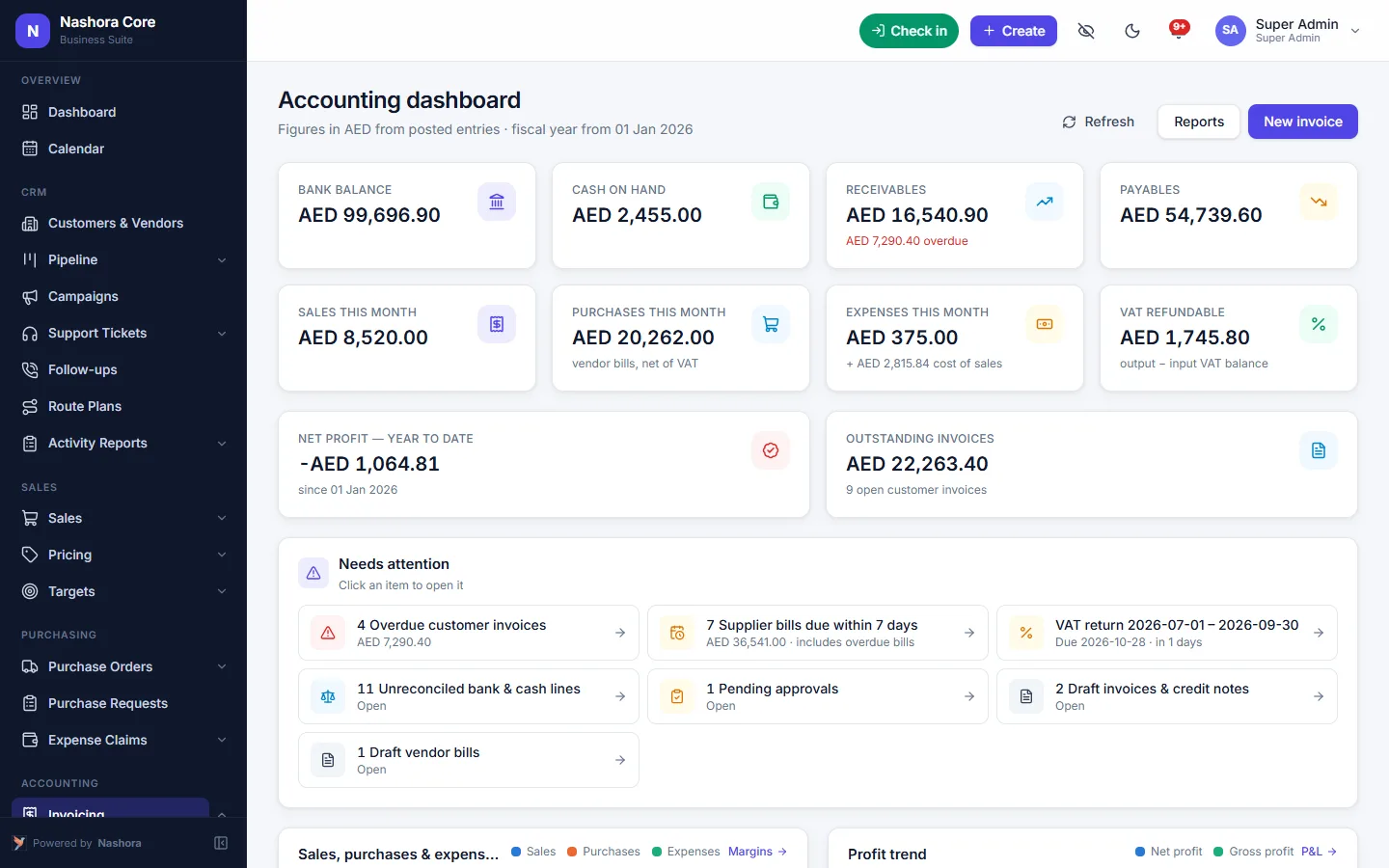
The same habit helps inside your own books. A good accounting system leaves unposted invoices and credit notes in a visible list, so they are posted or cleared before the period closes.
Choosing an accredited service provider
The provider is the company that exchanges your invoices. Treat the choice like any supplier decision: it is a service you will depend on every working day. Ask for answers in writing.
| Question | Why it matters |
|---|---|
| Is the provider accredited today? | Check the authorities' official list yourself. A brochure is not evidence. |
| How do invoices reach you: file upload, API or portal? | Decides how your accounting system will hand the files over. |
| Do you accept PINT-AE XML from my software? | Confirms the format you will actually be sending. |
| What happens when an invoice is rejected? | You need the reason in plain words and a way to correct and resubmit quickly. |
| Is the status reported back? | Finance should see sent, delivered or rejected without logging into a second system. |
| How is pricing structured? | Per invoice, per month or per user changes the cost at your volume. Compare on your own numbers. |
| Where is data stored and for how long? | Invoices must be kept for the legal retention period, and you should know who holds them. |
| Can I switch provider later? | Avoid being locked in to one provider by a custom format. |
Testing: the invoices that break things
A test with ten tidy invoices proves little. Build your test set from the awkward documents you issue in a normal month:
- An invoice with a line discount and one with a whole-invoice discount.
- A mixed invoice with standard-rated and zero-rated lines.
- An invoice in a foreign currency, with VAT shown in AED.
- A credit note against an earlier invoice, full and partial.
- A customer with a long name, an Arabic name or an unusual address.
- A very large invoice with many lines, and an invoice for a customer without a TRN.
For each one, write down what you expected and what came back. A rejected test invoice is a gift: it shows you what to fix while it costs nothing.
Training your team
The people who feel e-invoicing most are not in the finance office. They are the salespeople who create customers, the warehouse staff who add products and the accounts clerk who gets the rejection message at 5pm. Give each group one page: what it must enter, what happens if it is wrong and who fixes it.
Decide, too, who owns a rejection. If nobody does, rejected invoices sit in a queue while the customer's payment clock does not start.
E-invoicing readiness checklist
Use this table as a working checklist. Each row is something you can tick or not tick.
| Area | Ready when | Typical owner |
|---|---|---|
| Customer master data | Every customer has a legal name, address and checked TRN, and duplicates are merged | Finance with sales |
| Supplier master data | Supplier TRNs are on file for incoming invoices | Finance |
| Items and units | Every item has a clear description and one unit of measure | Inventory or product team |
| Tax codes | Every item has a default VAT treatment, and exceptions are explained | Finance |
| Invoice numbering | Numbers are unique and gaps can be explained | Finance |
| Credit notes | Each credit note names the invoice it corrects and the reason | Finance |
| Software | Your system can produce PINT-AE XML and validate it before sending | IT or software vendor |
| Provider | An accredited provider is chosen, checked and connected | Finance manager |
| Testing | A set of awkward invoices has passed end to end | Finance |
| Rejection routine | Someone owns rejected invoices and knows the time to fix them | Finance manager |
| Training | Sales, stores and accounts staff have each had their one page | Team leaders |
| Records | Invoices and files are kept for the legal retention period | Finance |
Which businesses feel it first
Traders and wholesalers
High volumes and many customers mean small data problems repeat hundreds of times. Clean customer records and item codes have the biggest payoff here.
Distributors with several branches
Branches that number invoices separately are the classic cause of duplicates. Agree one numbering rule before anything else.
Service firms and contractors
Stage billing and long, descriptive lines are common. Make sure the description and the tax category on each line say what you mean.
Retail and small businesses
Many sales go to individuals without a TRN, so ask your adviser how your sales will be treated. Do not wait: customer lists and item codes are quick wins.
Businesses with overseas customers
Exports and services to foreign customers are often zero-rated or outside the scope of UAE VAT, so tax categories and currency handling need testing.
What Nashora does, and what it does not claim
We would rather be exact about this than let a keyword imply too much. In the accounting and VAT module, Nashora produces PINT-AE e-invoice XML for your invoices, validates the file and tracks the status of each one. You then pass the file to your accredited service provider, which handles the exchange.
What Nashora does not claim: it is not an accredited service provider, and it does not send e-invoices to the FTA itself. Its job is to get the invoice data right and make sure the file matches your books, so that switching on e-invoicing does not mean re-keying invoices into another system. When e-invoicing applies to your business is for you to confirm with the FTA's current guidance.
The same system covers the habits in this guide. VAT is set on each invoice line as standard-rated, zero-rated, exempt or reverse charge. Posted documents are locked, and corrections are made with credit notes, debit notes or reversals, with every change in the audit log. Customers, vendors and products can be imported from Excel during setup, which is a good moment for the clean-up described above. Roles control who can create, approve or export.
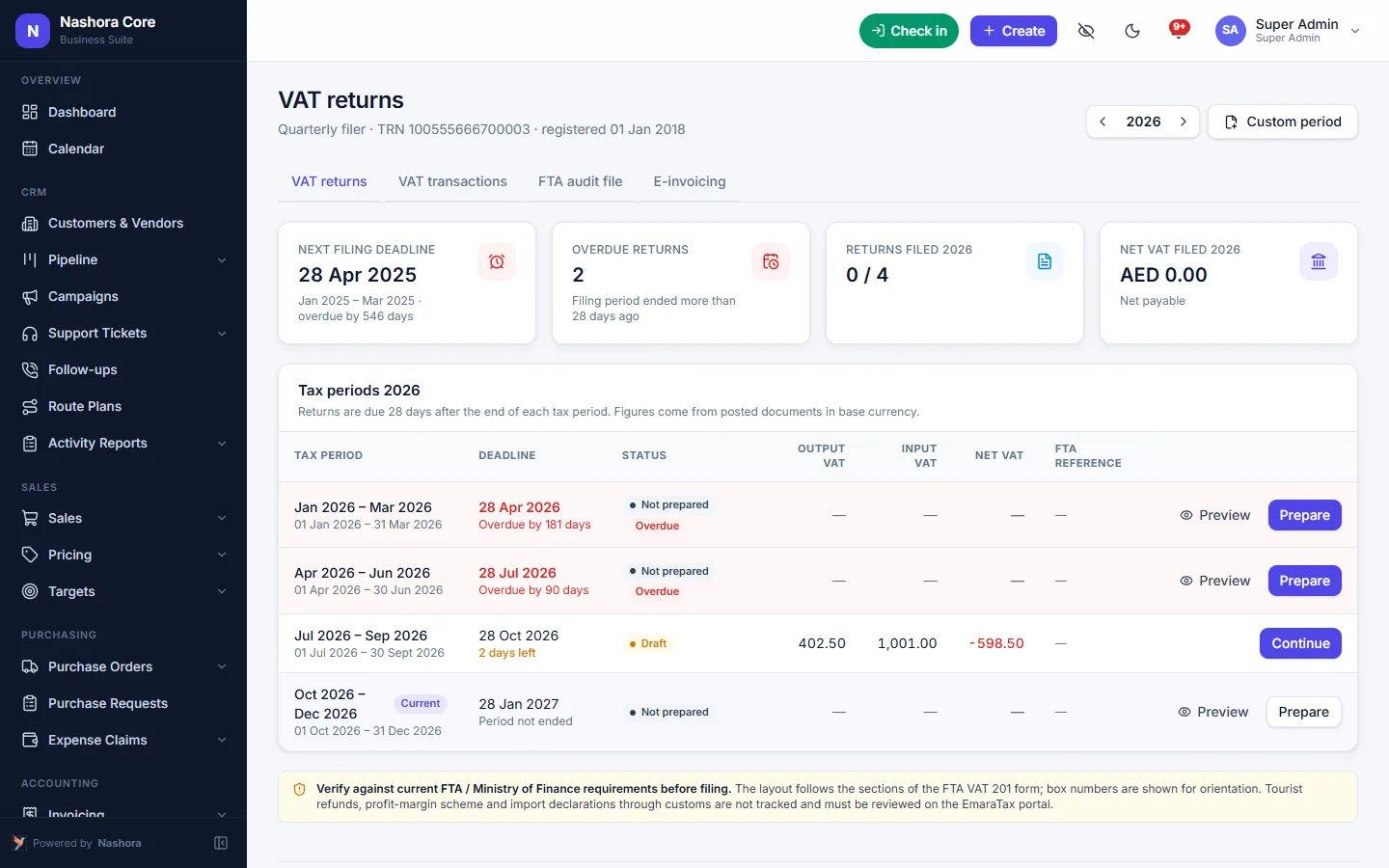
The screen above is from Nashora's demo data. It is the VAT returns page, and along the top you can see the tabs for VAT returns, VAT transactions, FTA audit file and E-invoicing, which keep the tax tools together. If you want to check how this works with your own invoices, bring a sample to a demo. Our guide to accounting software versus ERP explains why having sales, stock and accounts in one system makes the data cleaner in the first place.
E-invoicing in the UAE context
Whether you invoice from Dubai, Sharjah, Abu Dhabi, Ajman, Ras Al Khaimah, Fujairah, Umm Al Quwain or Al Ain, the same federal framework applies, and your TRN identifies your business across all emirates. Free zone companies should check how the rules apply to them, since some zones have their own treatment.
E-invoicing builds on VAT, so the VAT work you already do is the foundation. Your 5% treatments, your TRN records and your credit note habits all carry over. The 9% corporate tax adds another reason to keep invoice data and ledgers in agreement. If you want the VAT formulas first, start with our guide to how to calculate VAT in the UAE.
What to do next
- Export your customer list. Check legal names, addresses and TRNs, and mark every record that needs fixing.
- Review your item list. Give every item a clear description, a unit and a default VAT treatment.
- Audit your invoice numbers. Look for duplicates and unexplained gaps across branches and invoice books.
- Read the current official guidance. Check the FTA and Ministry of Finance announcements for how and when e-invoicing applies to your business, then shortlist providers from the official accredited list.
- See the file in a demo. Book a free demo and bring a few of your awkward invoices to see how Nashora produces and validates the PINT-AE XML. The FAQ covers setup and pricing, features lists what is included, or talk to us.