
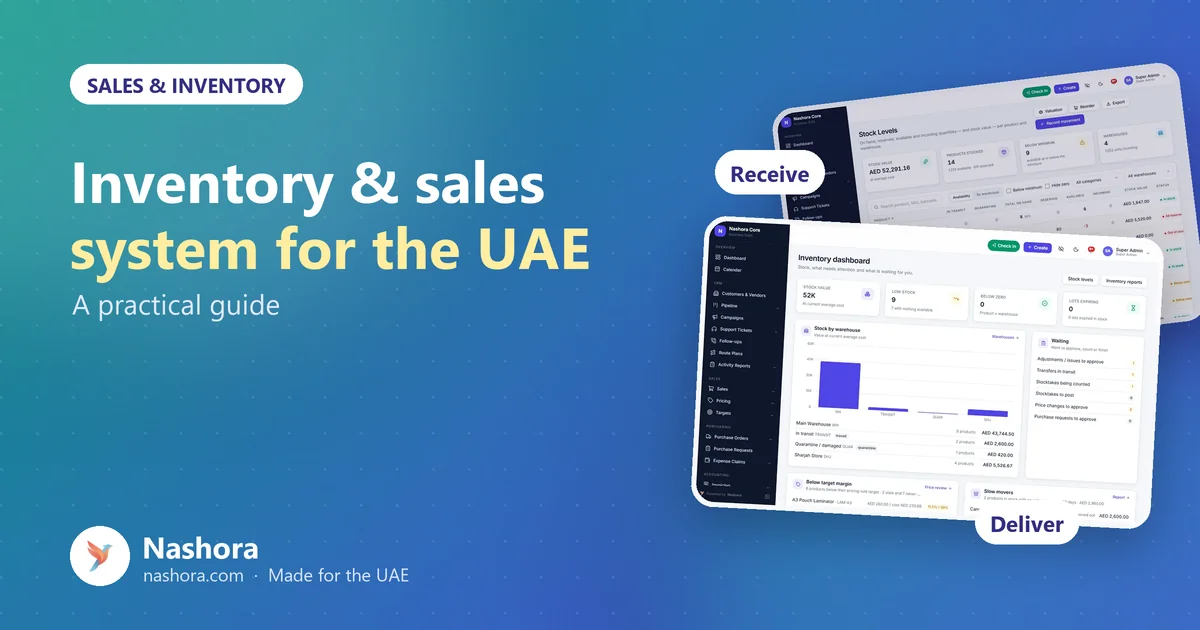
It is the last week of the month and the warehouse supervisor in Sharjah is on the phone. The stock sheet says 140 cartons of a fast-moving item are on the shelf. The salesperson has just promised 120 of them to a customer in Dubai. Nobody mentions that 60 already left yesterday on a delivery note that was never entered. This is the everyday failure an inventory and sales system in the UAE exists to prevent, and it is rarely dramatic. It is just a quiet gap between what the shelf holds, what the sales team believes and what the accountant has posted.
This guide is for traders, wholesalers, distributors and retailers who sell physical goods and are tired of that gap. We will walk through what the system has to do each day, where spreadsheets give out, how to set it up in a sensible order, what to import first and what numbers are worth watching afterwards. The product facts come from what Nashora's CRM, sales and inventory module does today, and we say plainly where a feature belongs to a higher plan.
What an inventory and sales system has to do every day
Strip away the jargon and a good inventory sales software setup covers five movements of goods. Each one should leave a record, and each record should feed the next one without anyone retyping it.
Receive
Goods arrive from a supplier. The storekeeper confirms what actually came off the truck, not what the purchase order said. In Nashora this is the goods received note (GRN): it puts stock on the shelf, and the vendor bill is later matched against both the order and the receipt. That three-way match is what stops you paying for 500 units when 480 arrived.
Store and transfer
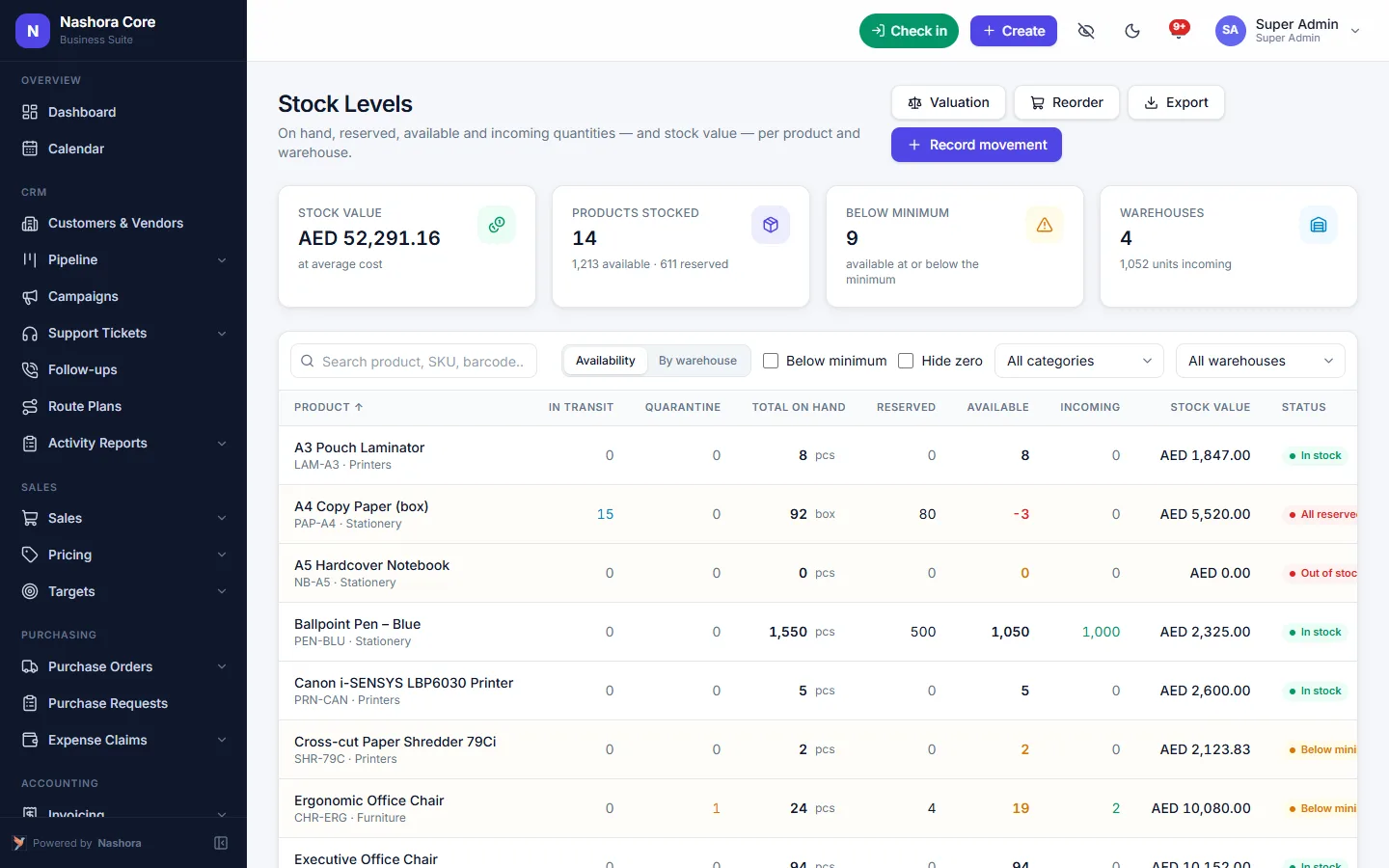
Stock lives somewhere specific: a warehouse, and within it a bin. If you run a main store in Sharjah and a showroom in Dubai, a transfer moves quantity from one to the other, so each location stays accurate instead of one big total that is right nowhere. Multi-warehouse stock sounds like an enterprise feature, but any business with two storage points has the problem.
Sell
The salesperson quotes from a price list, the customer accepts, and the quotation becomes a sales order. If the customer pays in advance, you issue a proforma invoice from that order. At this point the system should help the seller, for example by flagging a discount that drops the price below cost.
Deliver and invoice
The warehouse gets a pick list, packs the order and issues a delivery note. The delivery note, not the sales order, is what reduces stock. You can deliver in full or in parts, with a separate delivery note for each drop. The invoice then covers what was actually delivered, with UAE VAT on every line, and the receipt is recorded against it when the customer pays.
Count
However careful you are, physical stock drifts: breakage, miscounts, a pallet put in the wrong bin. Stocktakes and cycle counts let you check part of the warehouse at a time, so you are not shutting the whole business for a weekend each year.
Where spreadsheets break
Honestly, a spreadsheet is fine for a while. If you have one warehouse, a few dozen products and one person doing all the entries, Excel will do the job. The trouble starts when the business grows in ways a grid cannot hold.
- Two people, two versions. The sales team keeps one copy, the store keeps another, and the file on the shared drive is "stock_final_v7".
- Nothing happens when you sell. A delivery does not reduce the quantity. Somebody has to remember, usually at the end of the day, usually wrongly.
- No memory of how it got there. A number is simply overwritten, so when a count is off you cannot trace which movement caused it.
- Batch and expiry become extra columns. They work until the one product nobody filled in is the one about to expire.
- Cost is a guess. Freight and customs sit in a different file, so the margin on a sale is a rough estimate.
- The accountant retypes it all. Sales, stock value and VAT are rebuilt by hand at month end, and the figures rarely match on the first try.
Separate apps solve part of this and create another problem: the stock app and the invoicing app each hold a version of the truth, and a connector sits between them that somebody has to maintain. When the connector fails quietly, you find out at the stocktake.
Inventory and sales system compared: Nashora vs spreadsheets vs separate apps
Here is how the daily work looks in each approach. Where we say a separate app may handle something, that depends on the app and on whether its link to your accounting is working.
| Task | Nashora | Spreadsheets | Separate apps |
|---|---|---|---|
| Stock reduced when goods leave | Delivery note moves stock in that warehouse | Someone edits the sheet later | Only if the integration works |
| Stock added when goods arrive | Goods received note updates the shelf quantity | Typed in by hand | In the inventory app |
| Several warehouses and bins | Built in, with transfers | One tab per location | In the inventory app |
| Partial deliveries | Several delivery notes against one order | Tracked in a comments column | Often limited |
| Batch, expiry and serial numbers | Per lot or unit, by warehouse and bin | Extra columns, easy to miss | In some inventory apps |
| Landed cost | Freight and customs added to product cost | Worked out on the side | Often missing |
| Cost method | Average cost, or FIFO when you choose | One cost typed per item | Depends on the app |
| Reorder planning | Reorder planning, backorders and low-stock alerts | Manual formulas | In the inventory app |
| VAT invoice and the books | Invoice with VAT posts to the accounts | Re-entered by the accountant | Needs a link to accounting software |
| Stock value vs balance sheet | Valuation reconciled to the books | Separate sheet, argued at month end | Often out of step |
| Who can see what | Own, team, branch or all records, by role | Whole file shared | Set up in each app |
How to set up an inventory and sales system, step by step
The order matters more than the speed. Companies that go wrong usually import everything on day one and discover three weeks later that the product list was never clean. This sequence keeps the risky parts small.
- Decide your stock locations. List every warehouse, showroom and van that holds stock, and say if bins are needed inside them. Keep it as simple as the physical reality.
- Clean the product list. One row per sellable item, with category, unit of measure and the VAT treatment. Remove duplicates and dead items before anything is imported.
- Choose how you value stock. Pick average cost or FIFO and agree it with your accountant, because it affects every margin report afterwards.
- Mark what needs tracking. Decide which products need lots with expiry dates, which need serial numbers, and which need neither. Do not track everything just because you can.
- Import customers, vendors, products and opening stock from Excel. Bring in opening quantities per warehouse, together with opening balances, so day one starts from a counted position.
- Set price lists and roles. Build price lists per customer, branch or currency, then decide who can quote, who approves a discount and who can only view.
- Run one real order end to end. Quote, order, pick, deliver, invoice, receipt. Check that stock, receivables and VAT moved as expected.
- Count and go live. Do a cycle count on a handful of fast-moving items, fix any differences, then switch the team over for good.
What to import first
If you only have an afternoon, import in this order, because each list depends on the one before it.
- Products and units. Everything else refers to them.
- Customers and vendors, with branches, contacts and the TRN where they are VAT registered.
- Opening stock per warehouse, counted rather than copied from last year's sheet, including lot numbers and expiry dates or serial numbers where they apply.
- Opening balances, so receivables and payables start where your accountant says they should.
- Price lists, last, once the products and customers they point at exist.
Nashora imports all of these from Excel, and our team helps with the import during setup. If you want to see the sales side in motion before you decide, you can request a CRM and inventory demo.
Batches, expiry, serial numbers and landed cost: switch on what you need
Batch and expiry
If you sell food, personal care or anything with a shelf life, track lots with expiry dates. The expiry report then shows what is close to its date in each warehouse, so you can move it first or set it aside before it becomes a write-off.
Serial numbers
For equipment and spare parts, serial numbers follow each unit from the goods received note to the delivery note. When a customer rings about a specific machine, you can see which unit they received and when.
Landed cost
The invoice from your supplier is rarely the real cost. Freight, customs and clearing add to it. In Nashora those charges are added to the product cost as landed costs, so the margin you see on the next sale reflects what the goods truly cost, and profitability reports by product, customer and branch can be trusted.
Reorder planning and valuation
Reorder planning, backorders and low-stock alerts tell you what to buy before a customer finds the shelf empty. Stock valuation is reconciled to the books, so the warehouse figure and the balance sheet figure are the same number. That ends one of the most tiresome month-end arguments in any trading company.
Specification checklist: what to look for in sales and inventory management software
Use this table when you assess any product, including ours. Every row is something you should be able to see working in a demo.
| Area | What it does | Details |
|---|---|---|
| Products | Items, variants, categories, units | One master list shared by sales, purchasing and accounting |
| Warehouses | Multi-warehouse stock | Warehouses, bins and transfers between them |
| Tracking | Lots, expiry dates, serial numbers | Tracked per warehouse and bin; expiry reports |
| Receiving | Goods received notes | Three-way match of order, receipt and vendor bill |
| Quotations | Versions, approval, e-mail | Built from price lists; below-cost checks |
| Sales orders | Order, proforma, pick list, packing | Proforma for advance payment, issued from the order |
| Delivery | Delivery notes, full or partial | Each delivery note reduces stock where it ships from |
| Invoicing | Customer invoices and receipts | UAE VAT on every line; posts to the books |
| Costing | Landed cost, average cost or FIFO | Freight and customs added to product cost; cost history report |
| Replenishment | Reorder planning and alerts | Backorders and low-stock alerts |
| Counting | Stocktakes and cycle counts | Count part of the stock at a time, or all of it |
| Valuation | Stock value in the ledger | Reconciled to the books |
| Control | Roles and approvals | Own, team, branch or all records; approval limits by amount; audit log |
| Reports | Sales, purchase, stock, expiry | Profitability by product, customer and branch; export to Excel and PDF |
Benefits of one connected inventory and sales system
You sell what you actually have
The quotation, the order and the warehouse work from the same stock records, so a salesperson is not guessing from a sheet that was last updated on Tuesday.
Margins you can believe
With landed cost and a chosen costing method, reports by product, customer and branch show real profit instead of a flattering figure that ignores freight.
Faster month end
Invoices, VAT and stock value post to the ledger from the same documents. Your accountant reviews rather than rebuilds, and the VAT 201 return is prepared from invoices already in the system. See how the accounting and VAT side works.
Fewer awkward customer calls
Customer 360 shows sales, open orders and the products each customer has bought, so whoever answers the phone sees the history instead of asking the warehouse.
Who it is for: use cases by business type
Traders and wholesalers
Different prices for different customers, orders delivered in several drops and customers on credit. Price lists per customer, partial deliveries and receivable aging cover that in one place.
Distributors with field sales
Route plans tell each salesperson where to go today, and activity reports show what happened at each visit. The system runs in a browser, so a lead or order can be updated from a phone.
Retail with more than one location
Stock in a showroom and a back store needs separate quantities and clean transfers. Branches and cost centres appear on every document, so you can see profitability by branch.
Food, personal care and other dated goods
Lots with expiry dates, and expiry reports by warehouse, so the oldest stock leaves first.
Spare parts and equipment
Serial numbers from receipt to delivery, so a warranty question can be answered with the actual unit.
Day-to-day scenarios
These are illustrative, not customer stories, but they will look familiar.
The split delivery. Picture a trading company in Sharjah with a large order for a customer who wants goods in three drops. The sales order stays open, each drop gets its own delivery note, and the invoice follows what was delivered. Stock drops three times, in step with the trucks.
The expiring batch. A distributor opens the expiry report on Monday morning and sees one lot close to its date in the Ajman store. The sales team offers it first, rather than discovering it in a pile at the next count.
The costly shipment. A purchase arrives with high freight and customs. Booked as landed cost, the product cost rises, and the margin warning on the next quotation reflects it. Without that step, the team would keep selling at the old price and lose money slowly.
What to measure once it is running
You do not need a wall of charts. A few numbers, checked weekly, tell you if the system is helping.
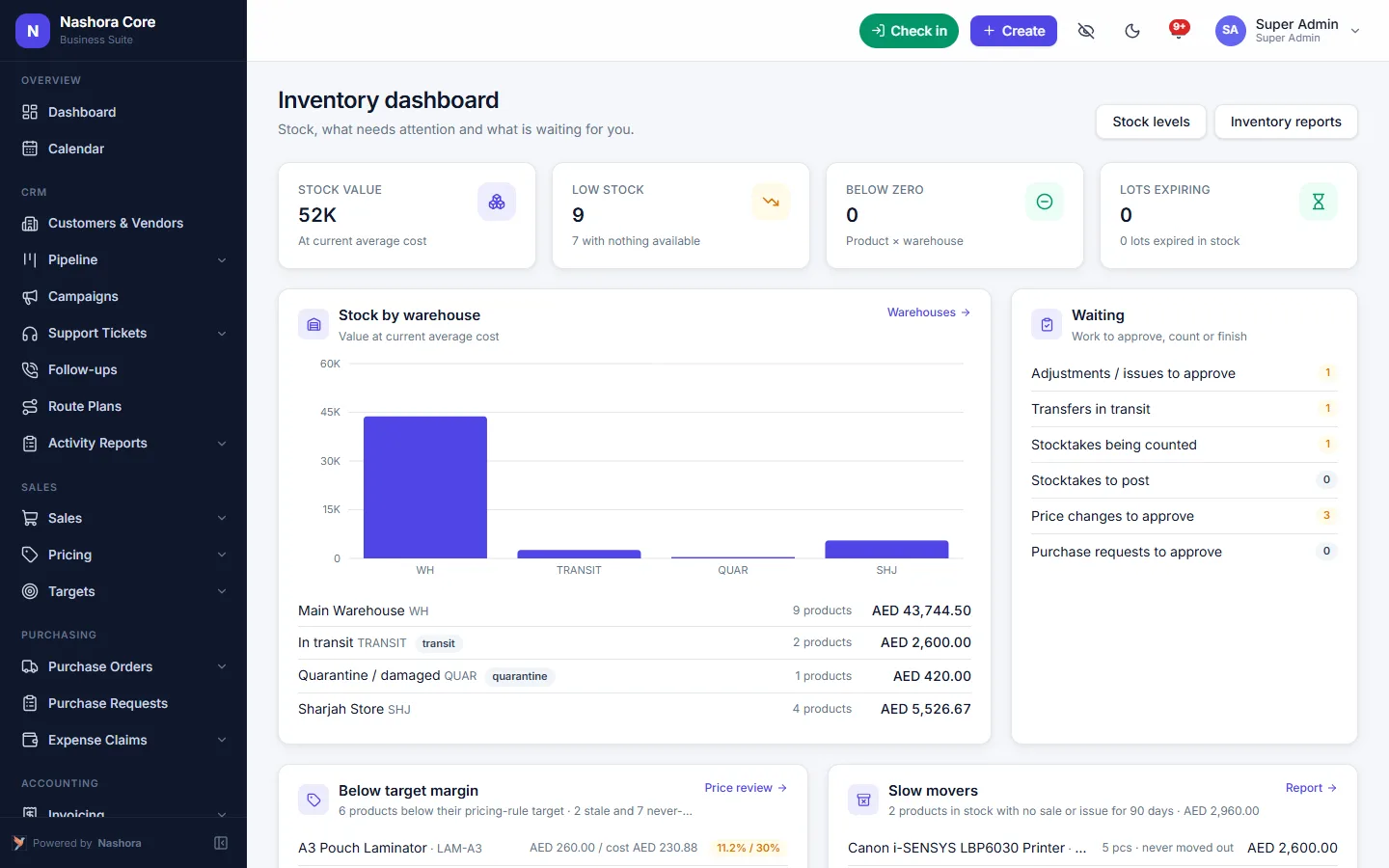
- Stock accuracy from cycle counts. How often does the count match the system? Fix the process behind each difference.
- Low-stock and backorder items. How many products hit their reorder point, and how long did they stay there?
- Expiry exposure. The value of stock close to its date, by warehouse.
- Margin by product, customer and branch. Especially after landed costs, and after discounts.
- Receivable aging. Delivered is not the same as paid; keep an eye on what is overdue.
- Stock value against the books. It should agree; if it does not, find out why that week.
The inventory dashboard shows what needs attention each day, and every report exports to Excel and PDF.
Why it is easier to get started than you think
Nashora runs in the web browser on desktop, tablet and phone, so there is nothing to install. We set up your company, VAT, users and roles, help import customers, vendors, products and opening balances from Excel, and give each team short training. Help mode explains each screen, and a step-by-step tutorial walks new users through examples. Most companies go live within days to a few weeks. The frequently asked questions cover setup and data in more detail.
On cost: accounting, VAT, invoices and basic stock are in the Starter plan, while CRM, quotations, purchasing and full inventory start from the Business plan. Prices and installation fees are on the pricing page, and they exclude 5% VAT.
Serving businesses across the UAE
Inventory rules do not change much between emirates, but the surrounding paperwork does vary. Traders in Dubai, Sharjah, Ajman and Umm Al Quwain often hold stock in one emirate and sell in another, so Nashora's VAT 201 return follows the selling branch's emirate. Distributors in Abu Dhabi, Al Ain, Ras Al Khaimah and Fujairah can run several warehouses under one company file. Mainland or free zone, each VAT-registered company has its own TRN, and groups with more than one company run them as separate companies inside one Nashora, with one login. Invoices carry UAE VAT at 5% on every line, and the FTA Audit File can be exported from the same records. If payroll for your warehouse staff matters too, see HR and WPS payroll in Nashora.
For the wider picture, read what a stock-aware CRM is, how a sales system works for UAE businesses and why accounting and CRM belong together. The full module list is on the features page.
What to do next
- Write down your stock locations, and note which ones need bins.
- Clean your product list: one row per item, with unit, category and VAT treatment.
- Do a quick count of your ten fastest-moving products, so you have a believable opening figure.
- Decide which products truly need batch, expiry or serial tracking.
- Book a free demo and ask us to run one of your own orders through it, or contact us with questions first.